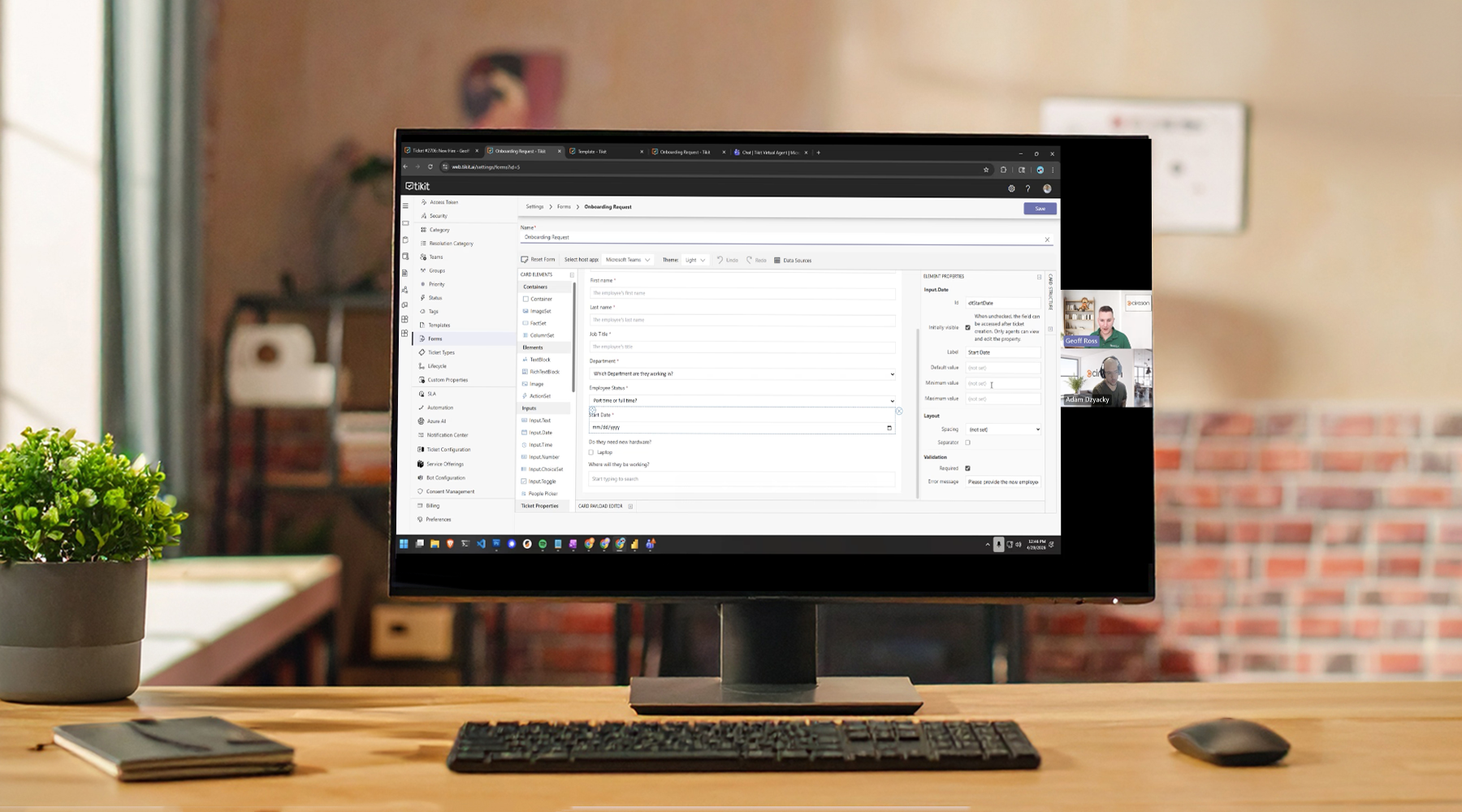
Not all tickets are created equal. If your team is constantly chasing down missing details, asking follow-up questions, or dealing with incomplete requests, the issue isn’t your users—it’s the experience.
In this webinar, we’ll show how Tikit’s new Multi-Turn Cards and Custom Properties help you guide users through smarter, more adaptive request flows—so you get the right information from the start.
Instead of static forms that overwhelm users or miss critical details, you can create dynamic experiences that respond in real time.
Watch now to learn how to:
- Build forms that adapt based on user responses
- Show only the fields that matter—when they matter
- Capture better, more structured data across every ticket
- Reduce back-and-forth and accelerate resolution times
We’ll walk through real examples of how these features work in practice—and how you can start using them immediately. If you’re ready to improve ticket quality and streamline your support process, this session is for you.
Transcript Summary
In this webinar, Cireson’s Geoff Ross (Director of Customer Success) and Adam Dzyacky (Director of Product Management) introduce Tikit’s new Multi-Turn Cards and Custom Properties, demonstrating how to guide users through dynamic, conditional forms that improve ticket quality and reduce incomplete or irrelevant submissions.
Key Highlights
The Problem: “Garbage Tickets”
- Traditional ticket forms often collect too much irrelevant information or not enough useful detail.
- Long, static forms lead to form fatigue, poor data quality, and back-and-forth clarification.
- Users frequently submit tickets with missing or inconsistent data, slowing down resolution.
Custom Properties
What They Enable
- Create custom fields (text, number, date, true/false, or list-based).
- Capture structured, consistent data across tickets.
- Reuse properties across:
- Forms
- Automations
- SLAs
- Reporting
Key Capabilities
- Define list-based fields (e.g., location, root cause) with optional multi-select.
- Set fields as required or hidden (for backend integrations).
- Use properties in:
- Automation conditions and actions
- SLA criteria
- Notifications
- Reporting (via JSON in Power BI / Excel)
Key Points
- Hidden properties support integration scenarios (e.g., Azure alerts, external systems).
- Data consistency improves reporting accuracy and automation reliability.
- Properties can be reused across multiple processes without duplication.
Multi-Turn Cards
What They Are
- Dynamic, multi-step forms that adapt based on user input.
- Built on top of Adaptive Cards, but uniquely extended within Tikit.
How They Work
- Forms are broken into multiple “turns” (steps) instead of one long form.
- Each step can:
- Show additional fields
- Skip steps
- Branch to different forms
- Flow is controlled using conditional transitions.
Conditional Logic & Transitions
Process Overview
- Define rules based on user input (e.g., location = London).
- Each rule determines the next step:
- Submit ticket
- Move to next form
- Go back to previous form
- Skip to another step
Example
If user selects London → show relocation form
If user selects any other location → submit immediately
Key Points
- Requires branching logic coverage (multiple transitions).
- Enables precise data collection only when relevant.
- Supports advanced scenarios like validation and rework loops.
Forms & Reusability
New Structure
- Forms and templates are now separate entities.
- You can:
- Reuse forms across multiple templates
- Combine forms into different workflows
Benefits
- Avoid duplicating similar forms (e.g., onboarding + device request).
- Easier maintenance and updates at scale.
Demo Walkthrough
Scenario: Employee Onboarding
- User submits onboarding request via Tikit Virtual Agent.
- Fills out initial form (name, role, location, etc.).
Conditional Experience
- If location ≠ London → ticket submitted immediately.
- If location = London → additional relocation form appears.
Summary Card
- Displays all answers before submission.
- Allows users to:
- Review inputs
- Go back and edit
- Start over
Final Outcome
- Ticket is created with:
- All captured data
- Custom properties populated
- Lifecycle and automation ready to trigger
Agent & Portal Experience
For Agents
- View and edit submitted forms directly on the ticket.
- Resend forms to users (with or without existing answers).
- Trigger forms via automation if needed.
For End Users
- Same multi-turn experience works across:
- Tikit Virtual Agent (Teams)
- Requester portal
Automation & Integration
New Capabilities
- Trigger Send Form via automation.
- Use custom properties in:
- Automations
- SLAs
- Notifications
Example Use Cases
- Send follow-up form to security team automatically.
- Update ticket fields dynamically based on responses.
Reporting
- Custom property data stored in JSON format.
- Accessible in Power BI / Excel via Power Query.
- Recommended approach:
- Build separate reports per process (e.g., onboarding, hardware).
Q&A Highlights
- Multi-turn cards work across Teams, portal, and agent experience.
- Custom properties persist on closed tickets even if deleted later.
- Archiving properties acts as a soft delete option.
- Form validation scenarios (e.g., date rules) may be handled via transitions or follow-up logic.
Key Takeaways
- Multi-Turn Cards eliminate long, static forms by guiding users step-by-step.
- Custom Properties ensure clean, structured, and reusable data capture.
- Together, they:
- Improve ticket quality
- Reduce back-and-forth
- Speed up resolution times
- The result is a more user-friendly, scalable, and automation-ready service desk experience.
Looking for More on Multi-Turn Cards in Tikit?
Check out the release post for even more details on this exciting new feature!
Tikit is a Microsoft 365 IT Service Management (ITSM) platform built to mature alongside your M365 adoption and bring service delivery directly into Teams. Want to learn more about Tikit and how it simplifies Teams-based ticketing and IT support? Check out our demo video and try Tikit in a 14-day free trial. We are so confident in Tikit’s capabilities that we’ll even set it up for free to ensure you get the most out of your Microsoft Teams ticketing experience. Schedule your complimentary setup call today.