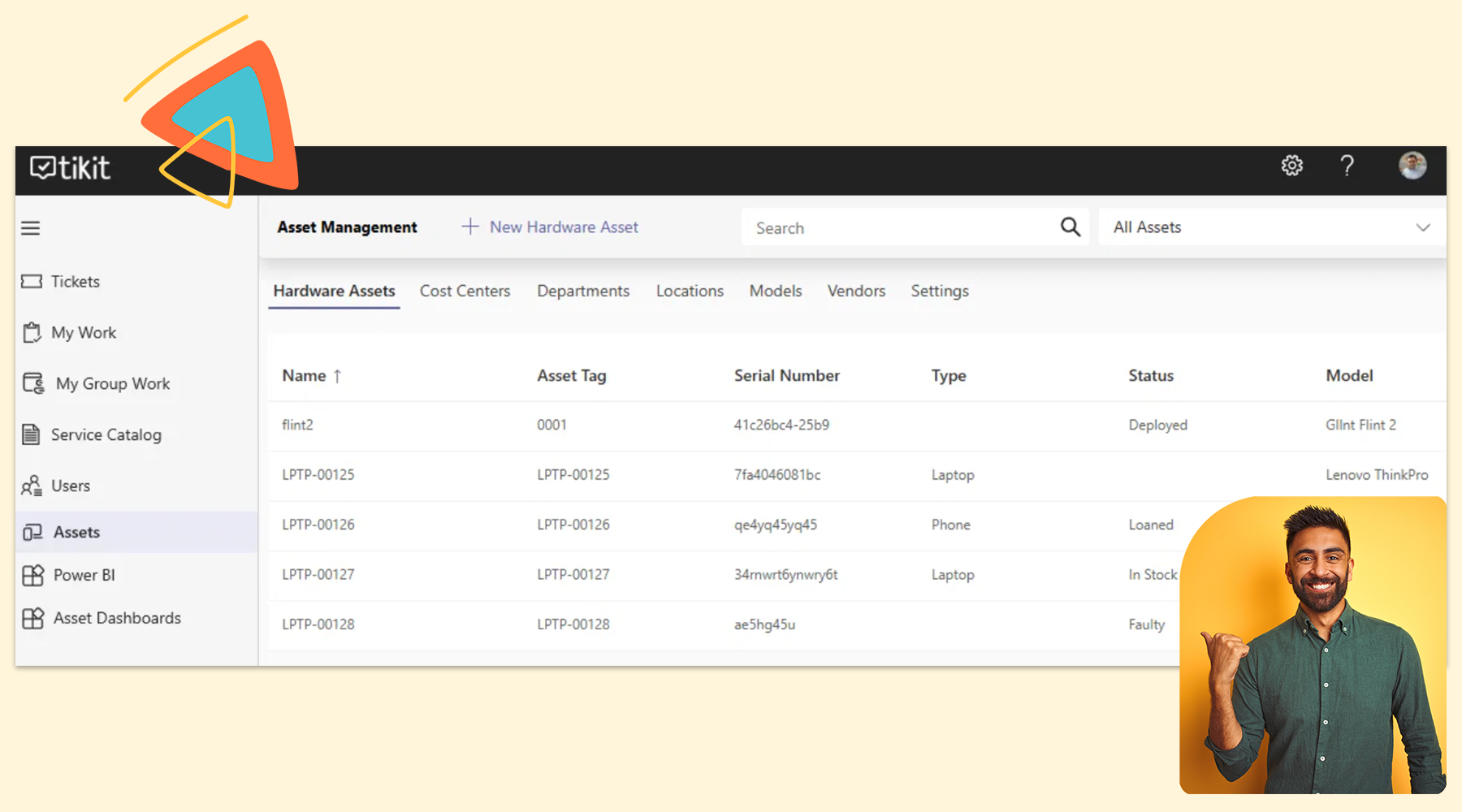
Last week we introduced Multi-Turn Cards and Custom Properties in Tikit. Today, we’re taking another major step forward with something customers have been asking for time and time again: Asset Management for Tikit.
This isn’t just another feature—it’s a fundamental shift in how you can run IT inside Microsoft Teams.
For many IT teams, asset data lives in one system, tickets in another, and financial details somewhere else entirely. That fragmentation slows everything down—agents lack context, reporting is incomplete, and tracking the true cost of IT becomes a challenge.
With Asset Management in Tikit, everything comes together. You can now manage assets, track financials, and relate everything directly to tickets—all in one place. Combined with our new Custom Navigation, Tikit becomes a more powerful, flexible, and fully connected ticketing system with asset management built for the way modern teams work.
Custom Navigation in Tikit
We’re also introducing Custom Navigation, giving you full control over how agents interact with Tikit.
Inside the Agent Portal—and even within the ticket editing experience—you can now add your own navigation items to bring the tools your team relies on into a single workspace.
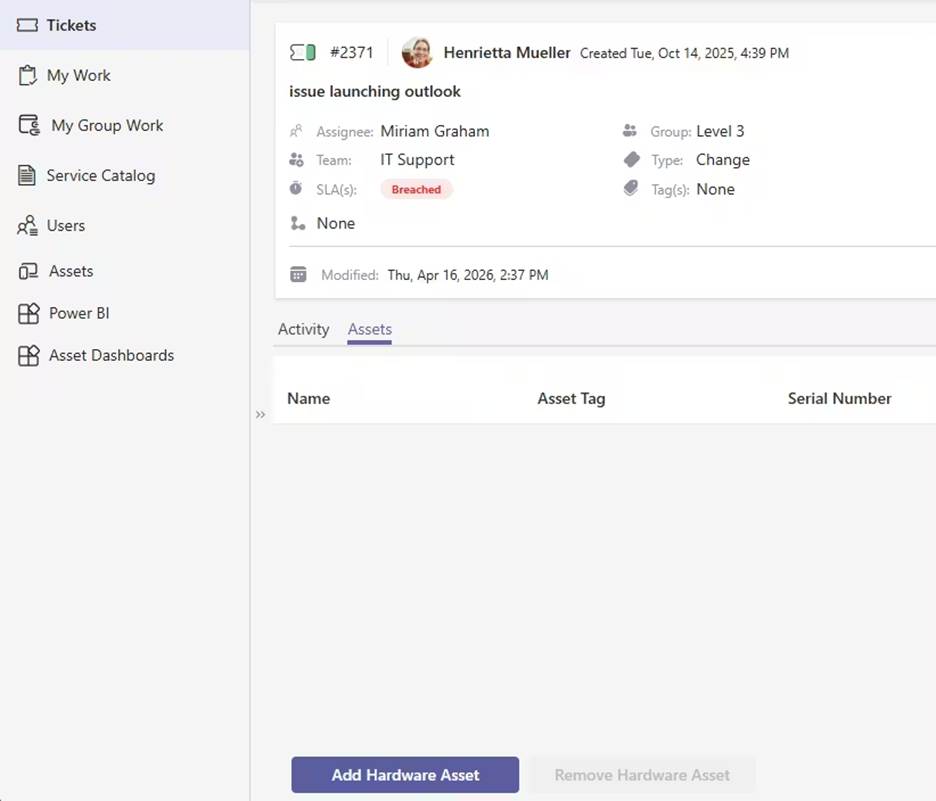
In the example above, we’ve added:
- Assets – launches Asset Management
- Power BI – opens the Tikit reporting dashboard
- Assets Dashboard – opens the Asset Management dashboard
But this goes beyond simple links.
You can also introduce custom tabs directly within the ticket experience. In our example, we’ve added an Assets tab that allows agents to instantly view and relate assets to the ticket they’re working on.
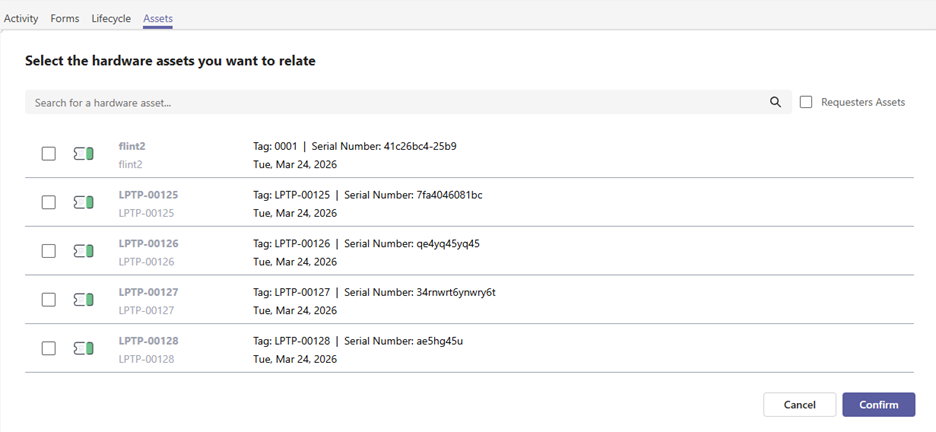
This solves a common challenge for service desks: agents no longer need to switch systems or chase down information. Everything they need—ticket data, requester details, and asset context—is available in one place.
We’re also exposing session variables like:
- ticketId (e.g. 5738)
- requesterEntra (e.g. Entra ID)
This means you can build fully customized, context-aware experiences—whether you’re integrating with Power Apps, Power BI, or your own internal tools.
The result: a faster, more efficient service desk with less friction and fewer clicks.
Check out the this KB article for details on how to create, edit, and remove navigation.
Asset Management for Tikit
Asset Management is our first managed Power App for Tikit, designed to bring visibility and control to your entire asset lifecycle—without adding complexity.
Once deployed, you can:
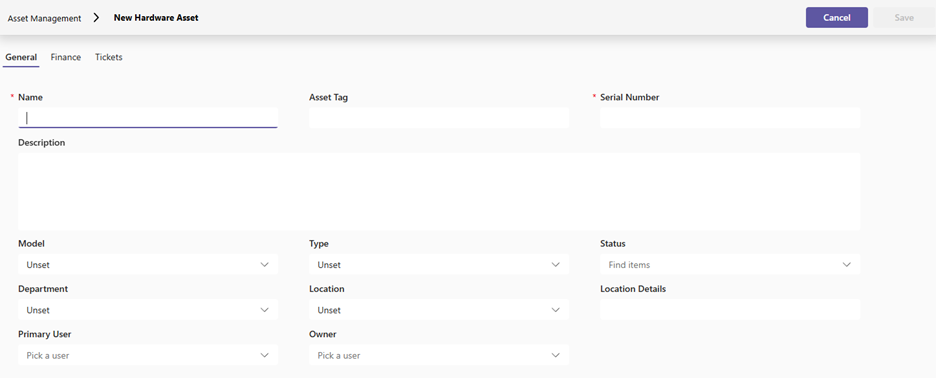
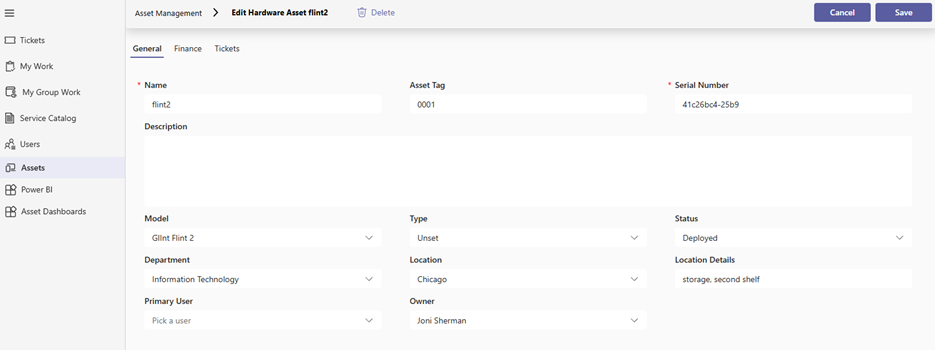
Create and manage assets with ease
Keep a centralized, up-to-date inventory of your IT assets without relying on disconnected spreadsheets or legacy tools.
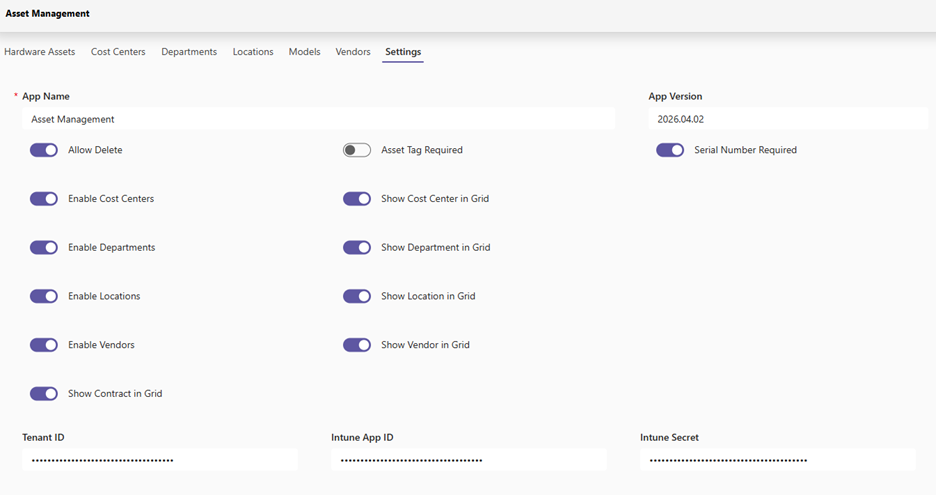
Automatically sync assets from Microsoft Intune
Configure secure integration (via Azure App Registration) to keep your asset data current with a 24-hour sync—eliminating manual updates and reducing errors.
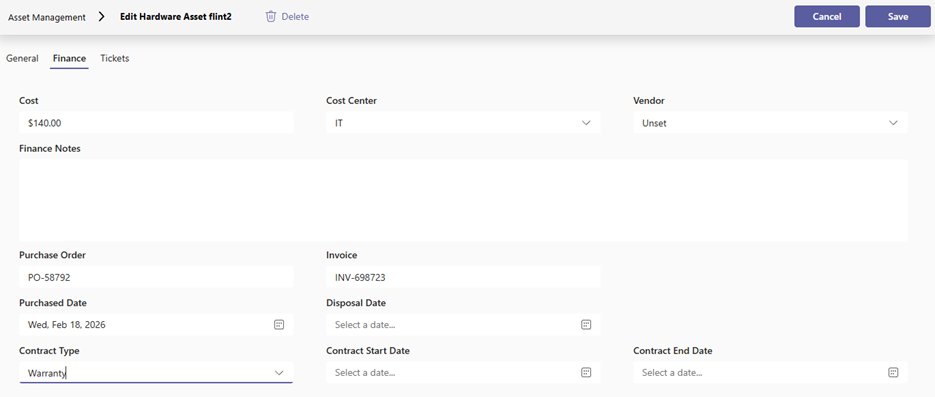
Track financial data in context
Manage purchase orders, invoices, warranties, and other key financial details alongside each asset, giving you a clearer picture of total cost of ownership.
Relate assets directly to tickets
Instantly understand what device or asset is impacted by an issue, improving troubleshooting speed, resolution times, and overall service quality.
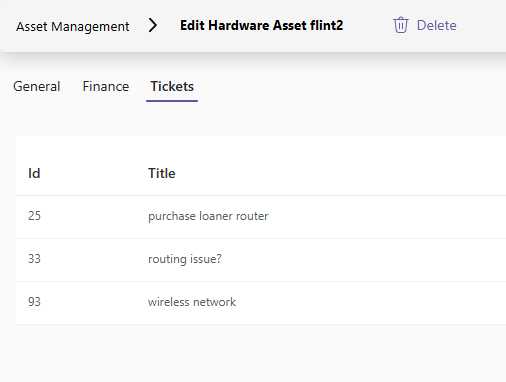
This is where Tikit truly evolves from a ticketing tool into a complete IT service management experience. By connecting tickets and assets, you gain the context needed to make better decisions, identify trends, and deliver better support.
Asset Management Reporting Template
To help you get even more value from your data, we’re also releasing a new Asset Management Power BI dashboard template.
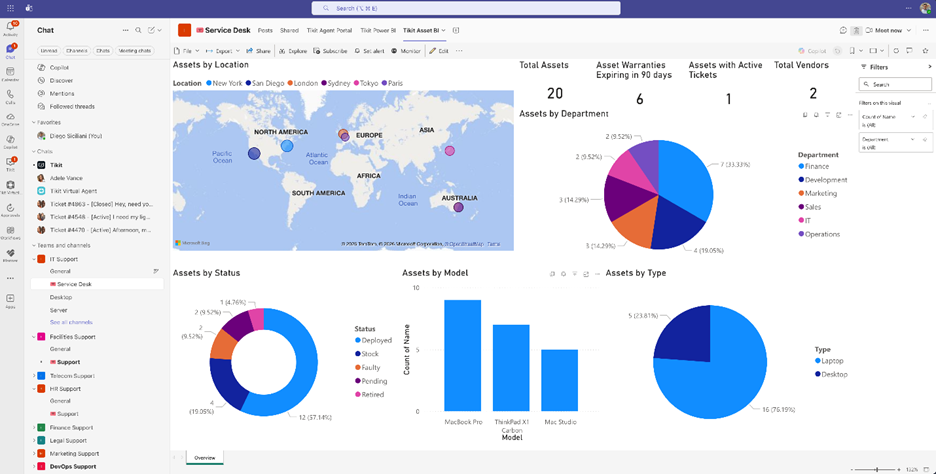
As with all Tikit reporting templates, you’re free to:
- Download and use it out of the box
- Customize it to your needs
- Or build entirely new reports from scratch
With asset and ticket data now connected, your reporting becomes far more powerful—helping you uncover insights around asset performance, cost, and service impact.
Get Started with Asset Management
Visit our KB article for detailed information on how to install Asset Management for Tikit.