Tikit Features and Capabilities
Tikit delivers right-click ticketing in Teams, AI-powered support, automated workflows, ITIL-aligned service management, reporting, and asset management, all connected within the Microsoft ecosystem
Jump to a feature topic:
Omnichannel Ticketing
One service desk. Every request.
Whether requests start in Teams, the web portal, or email, Tikit centralizes every interaction in a single agent experience.Â
Microsoft Teams
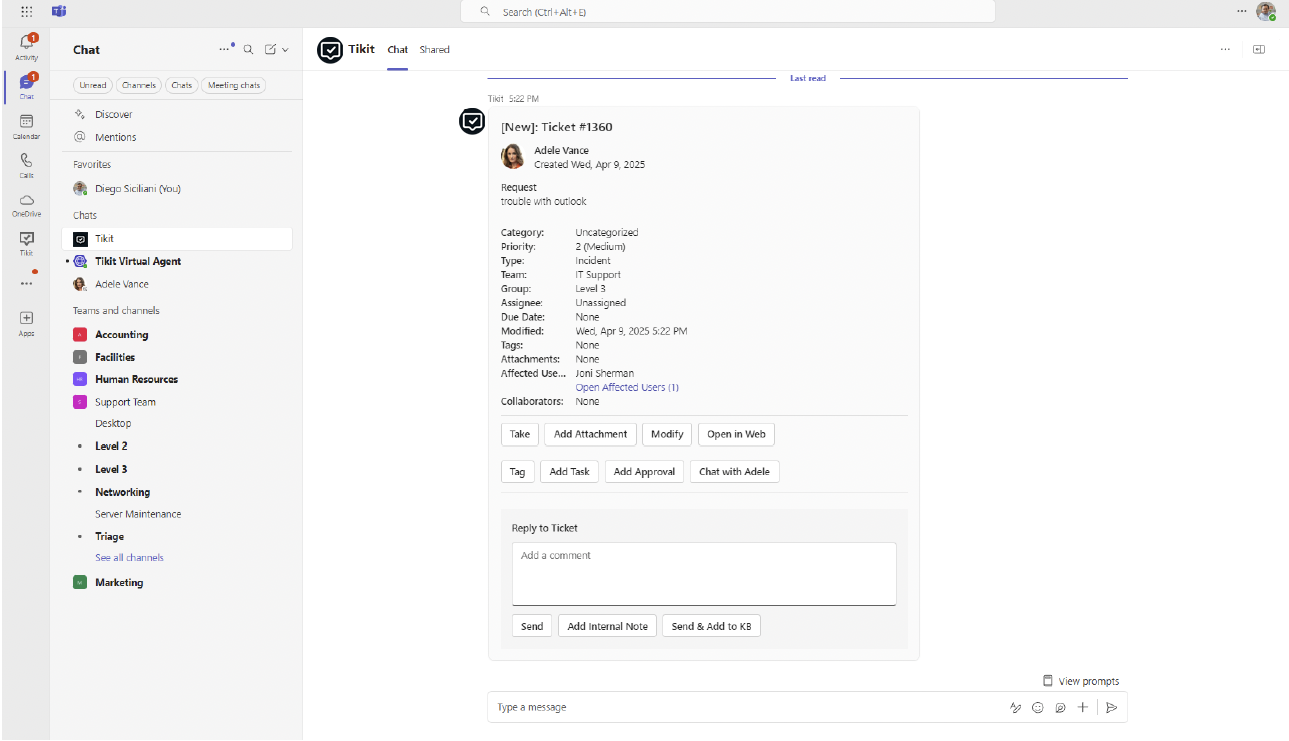
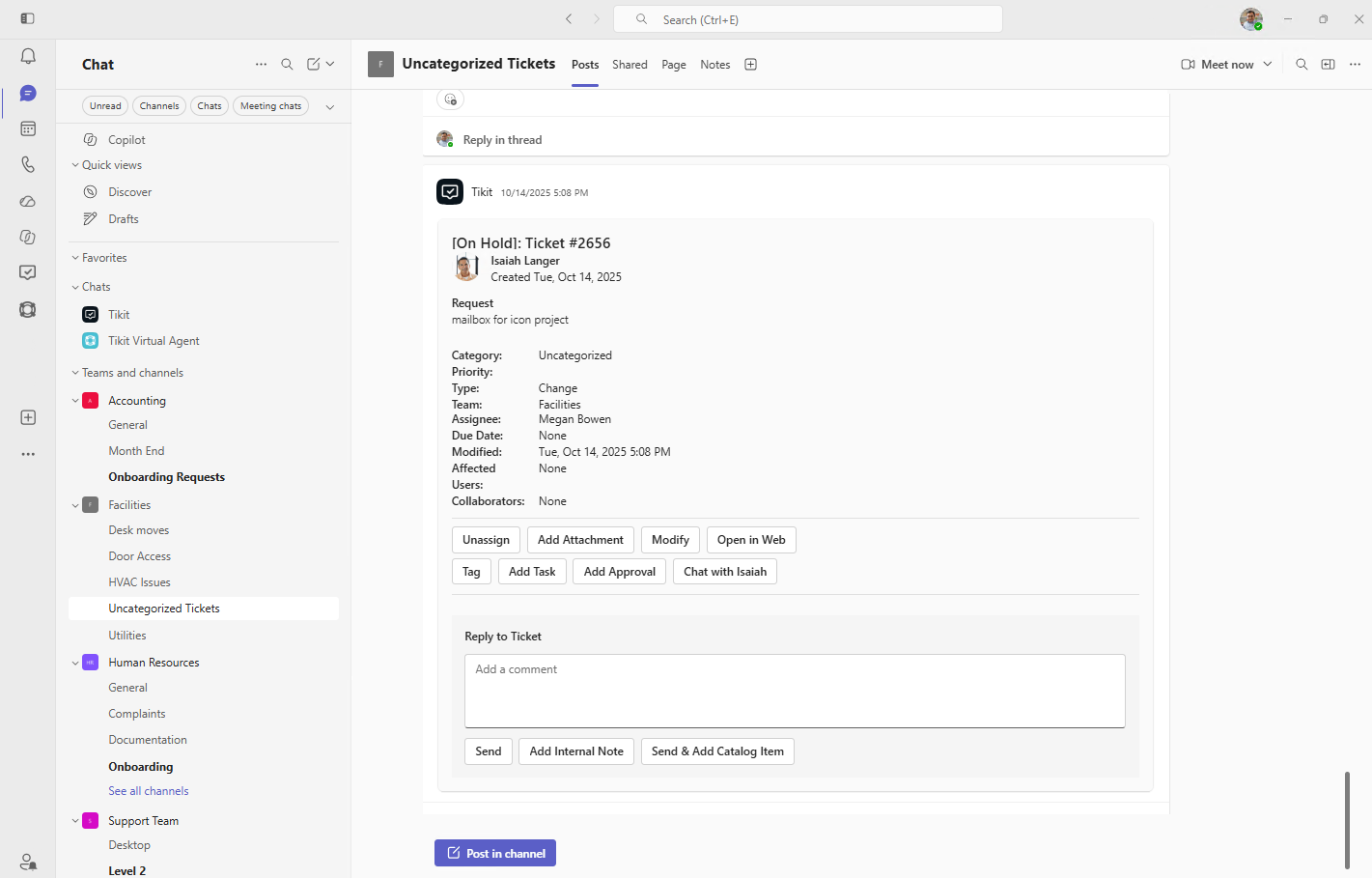
- Create and update tickets in Teams
- Approve requests directly in Teams
- Get real-time ticket notifications
Agent & End User Portals
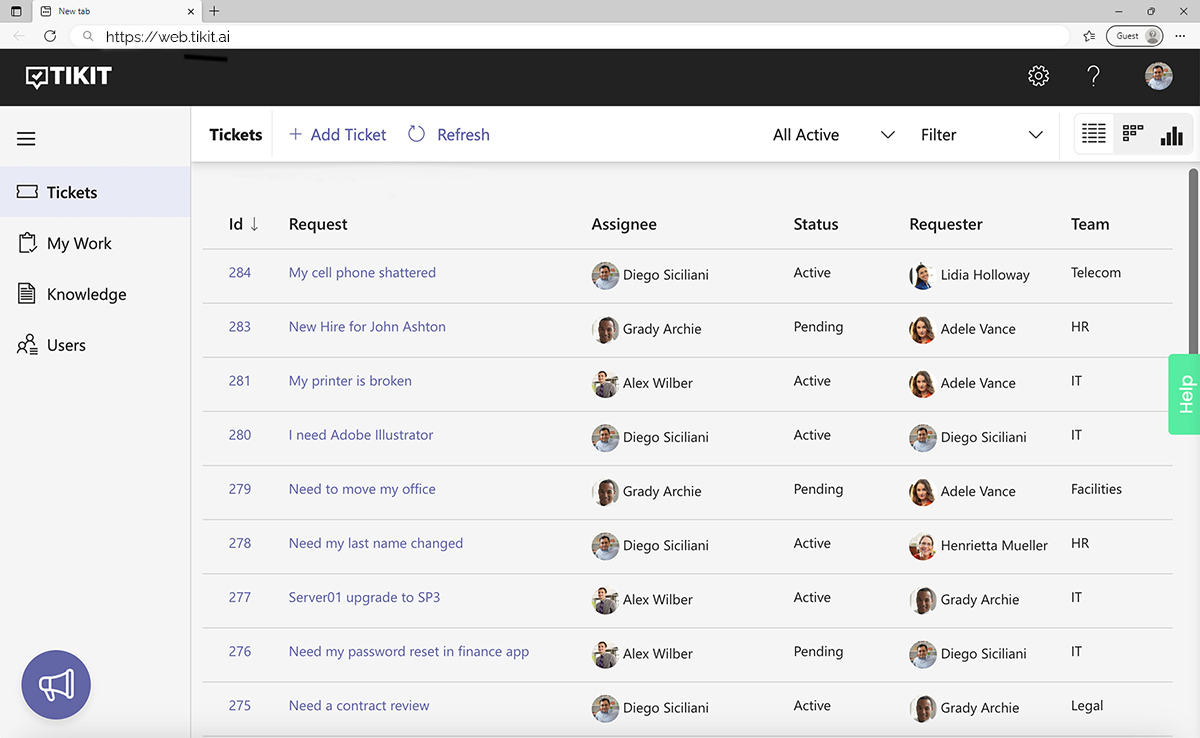
- Manage tickets and bulk actions
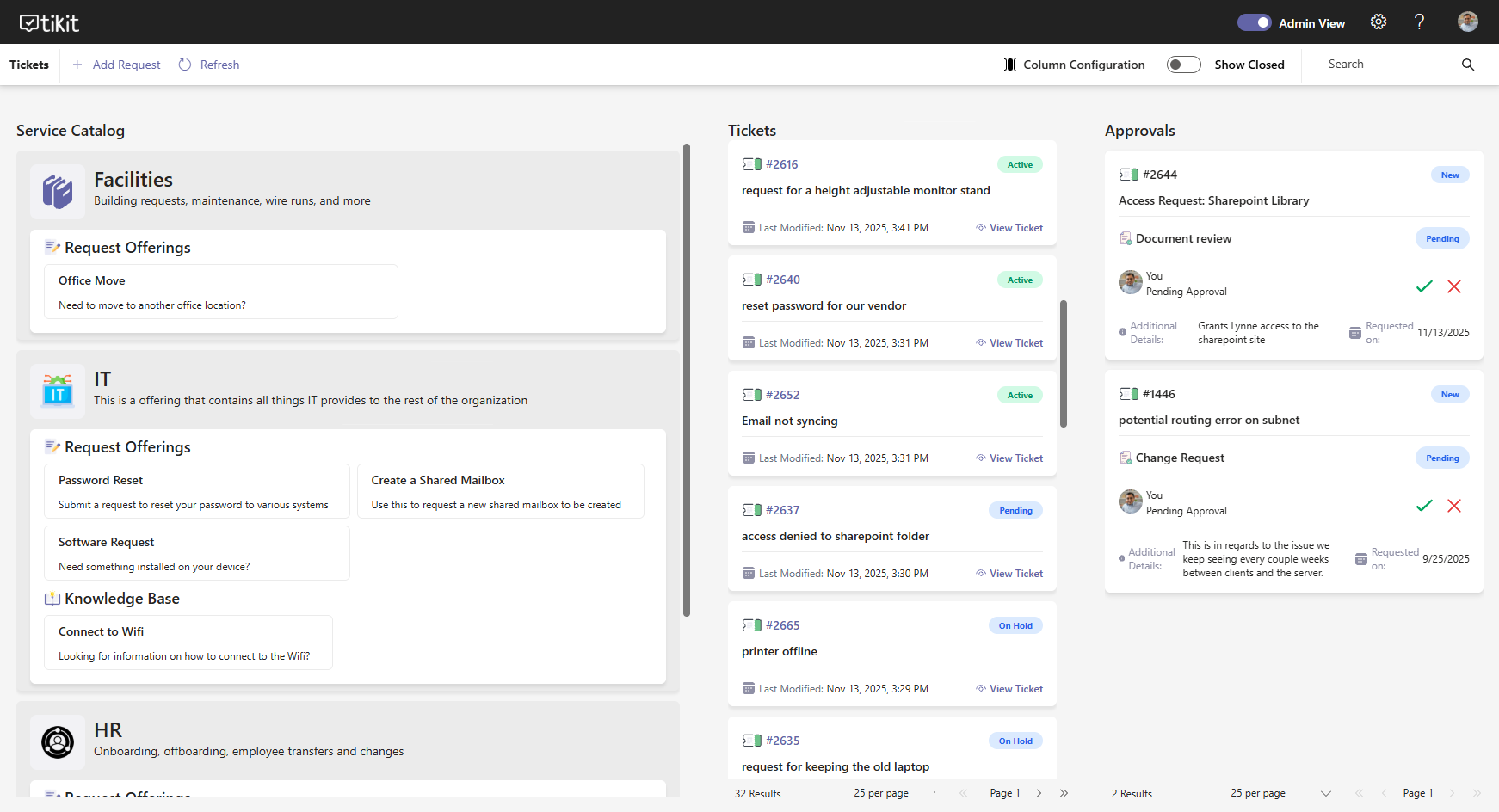
- Business forms and service catalogs
- Shared knowledge base for everyone
AI & Self-Service
Smarter self-service starts in Microsoft Teams
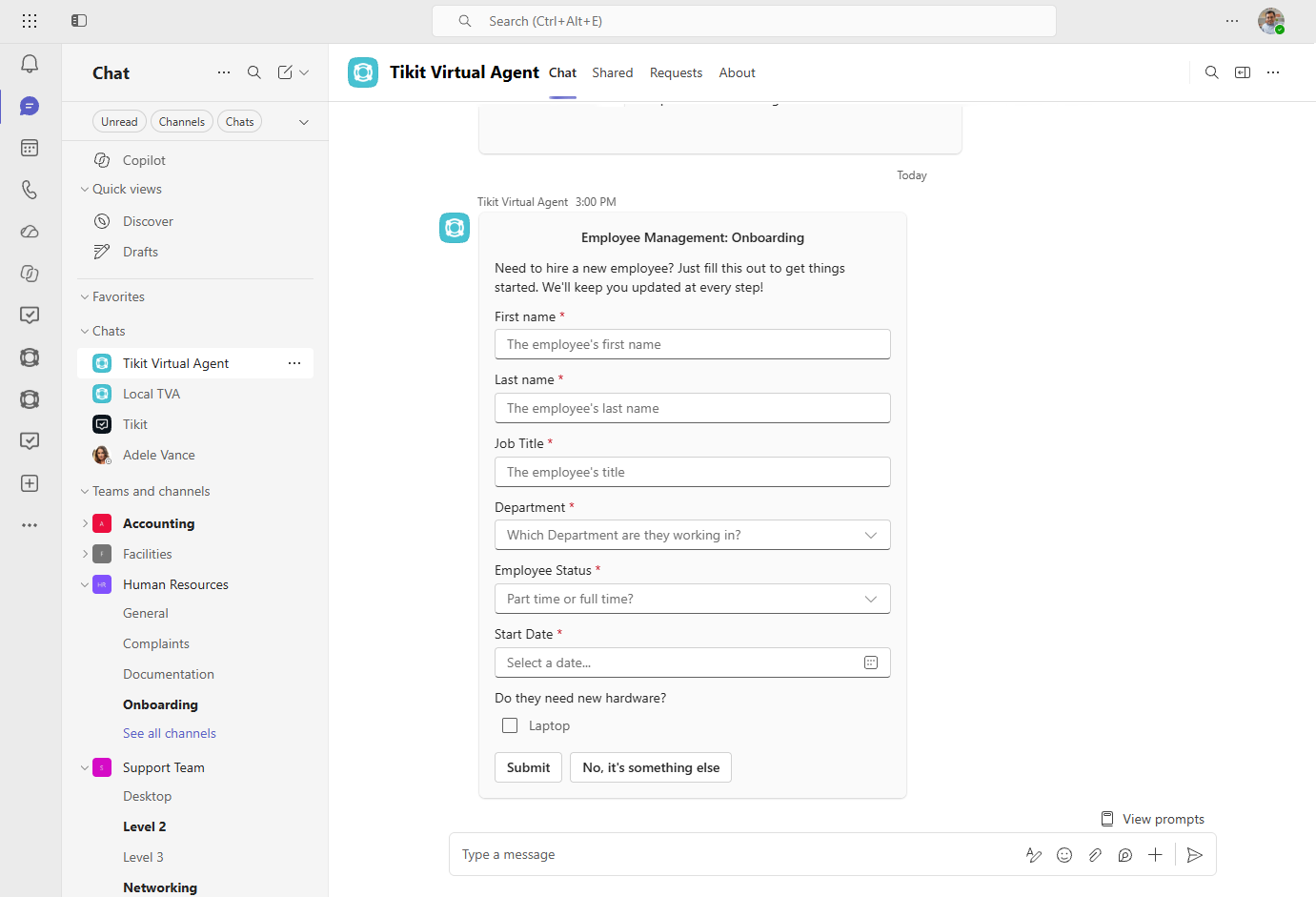
Powered by Microsoft Azure AI, Tikit Virtual Agent helps employees find answers faster, submit requests more easily, and resolve common issues without waiting on IT.
Built around your organization
- Create tickets directly in Teams with customizable guided forms
- Access trusted knowledge from SharePoint and OneDrive sources
- Personalize the agent with your company name, branding, and logo
- Recommend relevant articles in multiple languages as users type
- Automatically summarize ticket threads to help agents resolve issues faster
Microsoft 365, Built in
Powered by the Microsoft Tools You Already Use
Tikit connects the Microsoft tools you already use to deliver a smarter, more connected service desk.
Here’s how they work together.
Microsoft product
Tikit feature
In one line
How Tikit uses it

Teams
Teams Ticketing
Support where work happens
Creates and manages tickets inside Teams chats and channels

Entra
Single Sign-On
One login. One identity.
Lets agents and end users sign in with Microsoft 365 credentials

Intune
Asset Management
Always synced from Intune
Syncs Intune devices into Tikit asset records
Power Automate
Advanced Workflows
Simple to start. Powerful to scale.
Starts automated workflows directly from a ticket

Azure AI
Tikit Virtual AgentÂ
Conversational service experiencesÂ
Answers questions in Teams and summarizes long ticket threads

Power BI & Excel
Reporting
Report in tools you know
Builds service desk dashboards and reports from Tikit data

OneDrive & SharePoint
File Attachments
Files stay in Microsoft 365
Stores ticket files in your own Microsoft 365 tenant

Outlook
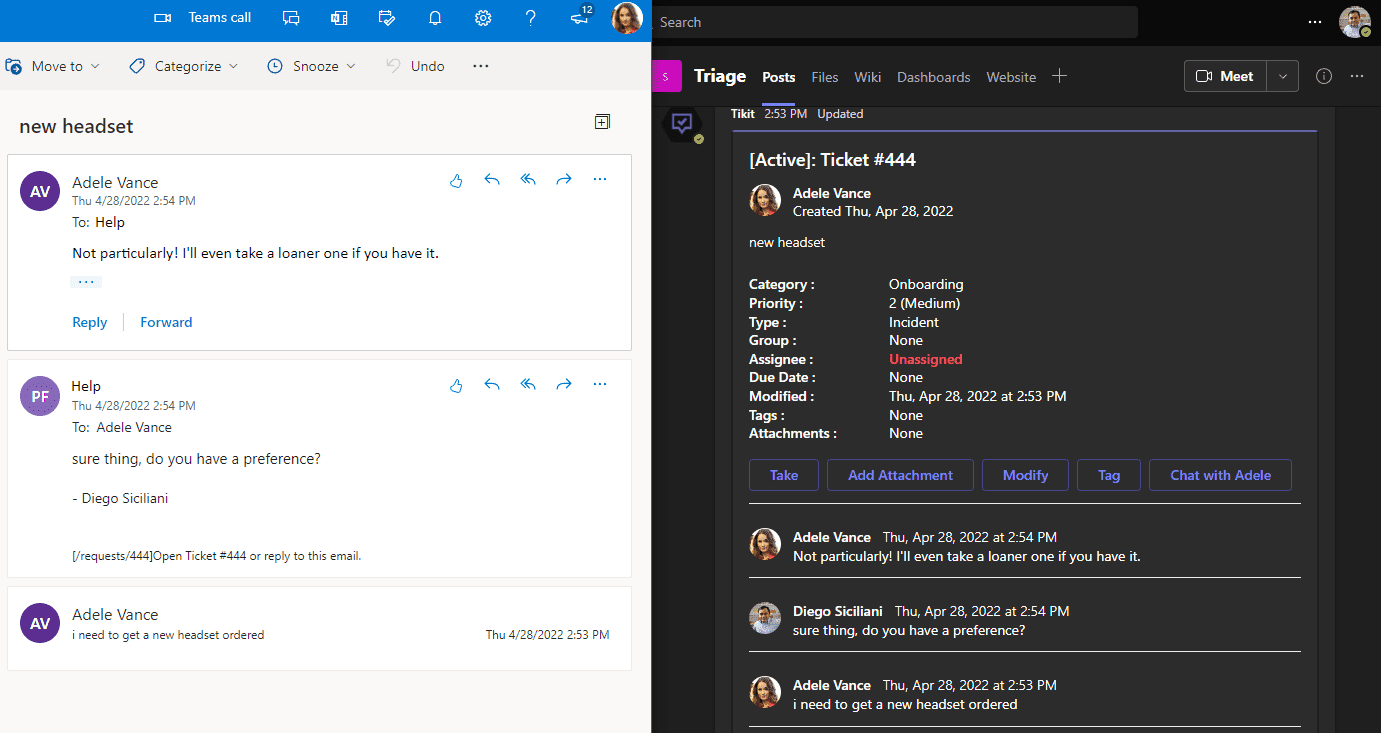
Email Support
Runs on Microsoft 365
Brings support mailbox requests into the agent queue
ITIL-Aligned Service Management
From request to resolution, fully managed
Streamline IT service management processes, including service requests, incidents, and changes, with built-in approvals, service levels, and automated workflows.
Service Catalog for every team
Build customizable service catalogs for IT, HR, facilities and other departments, making it easy for employees to request the services they need.
- Services such as onboarding, software requests, and hardware orders
- Drag-and-drop builder with conditional logic, no code required
- Department-specific catalogs with multi-step approvals built in
Advanced Workflows
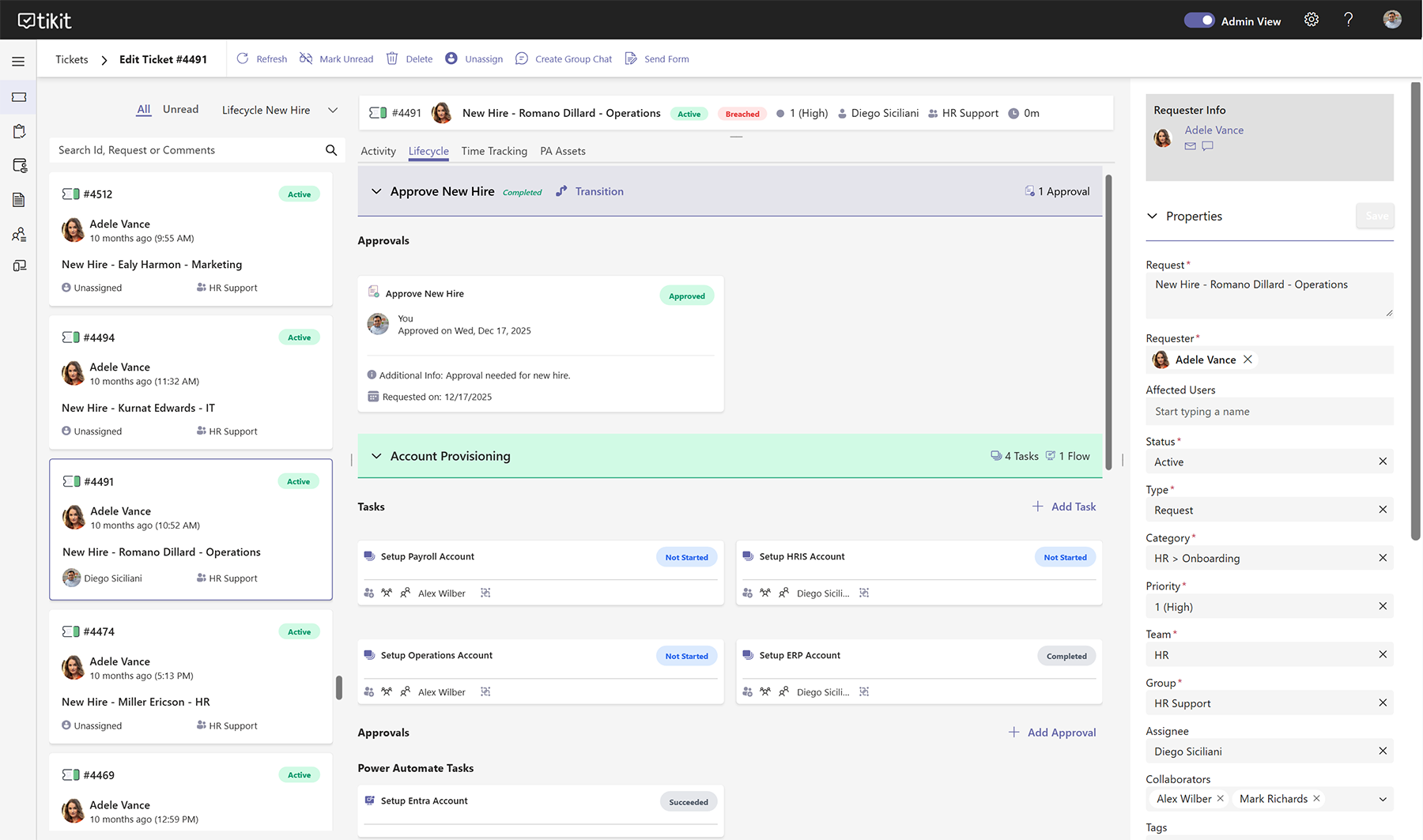
Incidents, service requests, and changes follow lifecycles with defined phases, tasks, and approvals, so work keeps moving without manual chasing.
- Common workflows include onboarding, offboarding, and access and device management
- Assign tasks to the right team at each phase
- Run Power Automate flows with any lifecycle
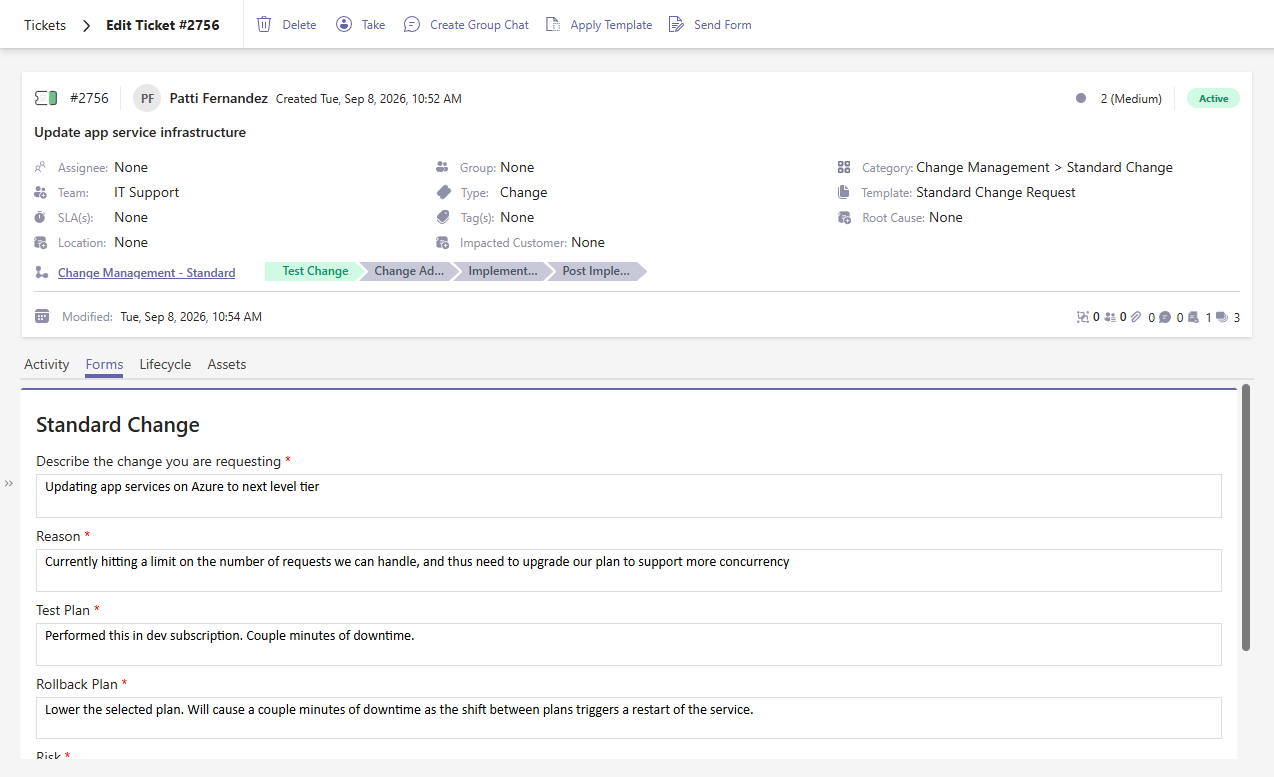
Change Management
Changes are reviewed, approved, documented, and recoverable if something goes wrong.
- Standard, Normal, and Emergency change types
- Multi-level approval chains (CAB, Managers, Technical Leads)
- Scheduled windows and blackout dates
- Full audit trail, rollback procedures, and post implementation review (PIR) templates
More capabilities. Better service.
Capture the right information, keep everyone connected, and meet service commitments with built-in tools that make service management easier.
Business forms
Capture the right information from the start with forms tailored to each team, service, and request type.
Affected users and collaborators
Each ticket keeps multiple end users and assignees informed until resolution.
Service levels
Breach alerts and performance reporting keep SLAs on track before commitments slip.
Group chat
Agents and key stakeholders work the issue together in one shared conversation in Microsoft Teams.
Multi-Department
Tikit works beyond IT
Tikit gives HR, facilities, finance, and any other department its own service catalog, workflows, and SLAs, with private channels and department-level security. Every department runs inside the same Teams experience at no extra cost.
Asset and Device Management
Every device and asset, tracked in Tikit
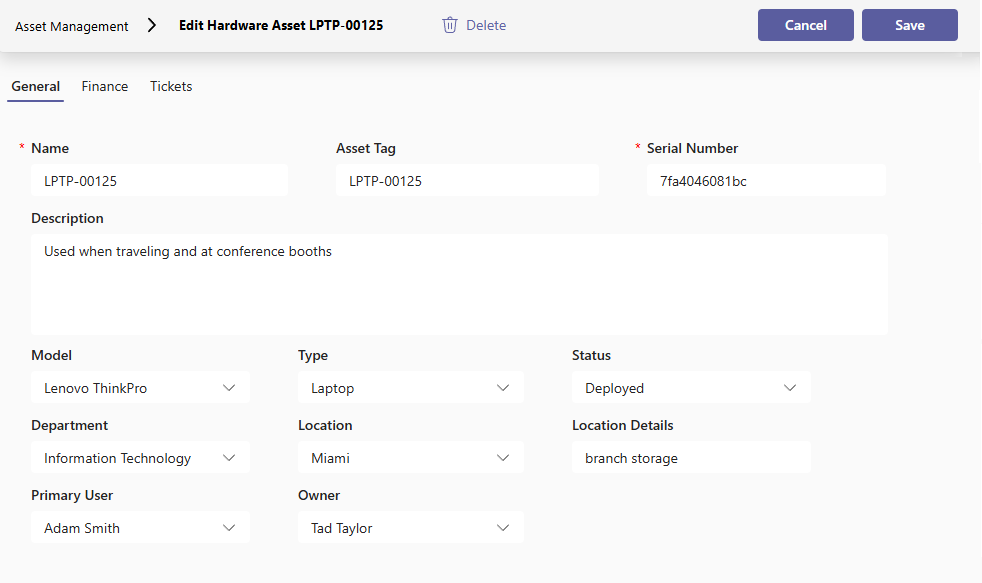
From procurement to retirement, Tikit tracks devices and assets with Microsoft Intune device data built in.Â
Hardware tracking
- Device inventory (laptops, monitors, phones, peripherals)
- Warranty, serial, purchase details
- Lifecycle, ownership. vendor, and cost details for every asset
Intune device data
- Compliance and enrollment status on each device record
- Intune-managed devices alongside hardware tracked in Tikit
- Tickets tied to the devices they affect
See why IT teams choose Tikit
Natural extension of our daily workflow
Every feature, free for 14 days
Try Tikit in your own Microsoft Teams. No credit card required.