






Microsoft Teams Help Desk & ITSM Software

Your employees are already using Microsoft Teams.
So should your service desk.
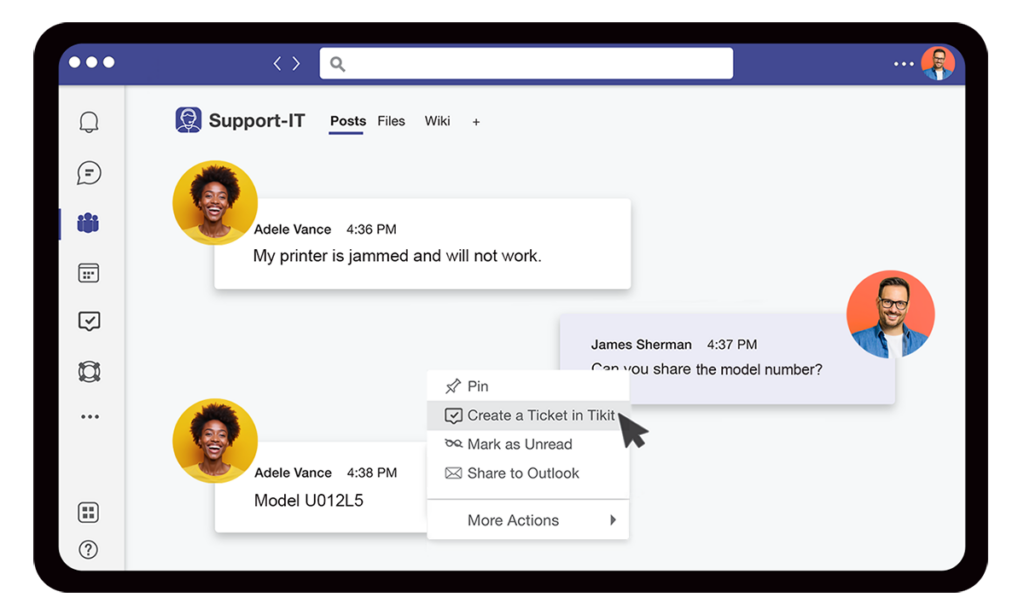
Create Ticket from a Message In Screen

Tikit turns Teams into a modern ticketing and ITSM platform built for Microsoft 365: omnichannel ticketing, AI self-service, and ITIL-aligned service & asset management.

Create Ticket from a Message In Screen

Trusted by 1.6M+ people worldwide

Toyota Logo 1 e1768319842885
Monster
AccuWeather 2021.svg
KPMG 2
LJSLogo
Southwest Bank

The Tikit Platform

From a Teams message to full IT service management

Tikit at a glance. Jump to any feature, or see how Tikit compares.

Microsoft Teams Ticketing & Omnichannel Support

Where employees and agents already are

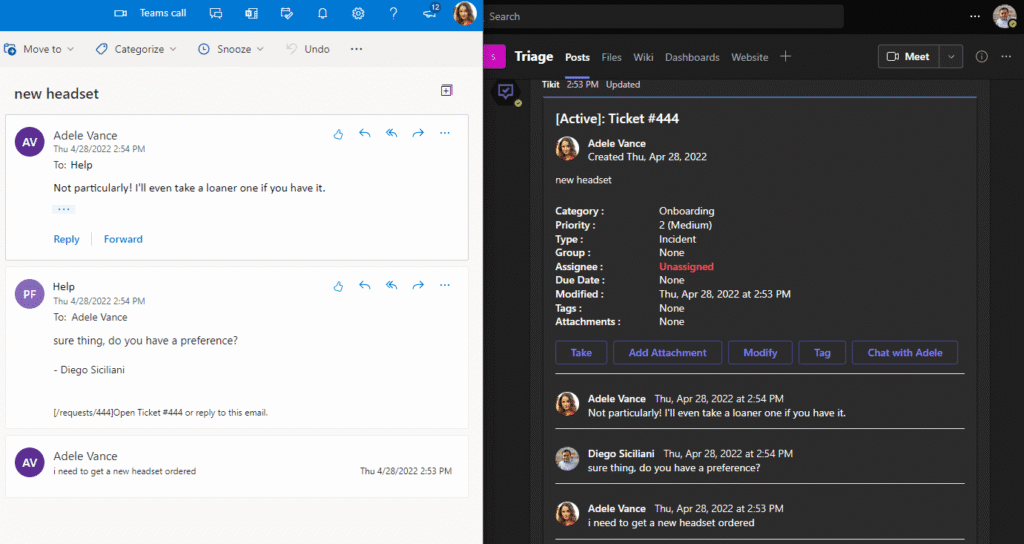
End-users ask for help in Teams, by email, or through the End User Portal. Tikit ties every message to its ticket, so agents see the full history wherever a request started. 

6 Multi Department in Teams

Your support channel is your service desk

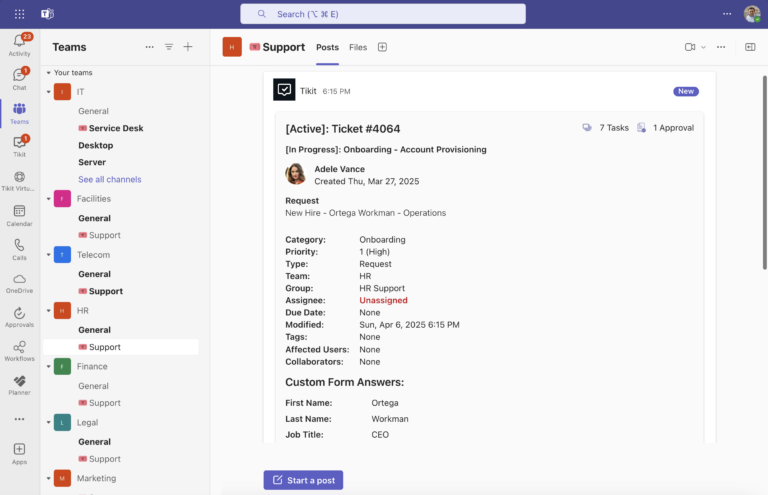
Every new ticket appears in Teams with full details and the latest comments. Agents assign, reply, and resolve tickets directly from Teams without switching apps. 

Dedicated Web Portals 1

Resolve requests faster in one workspace

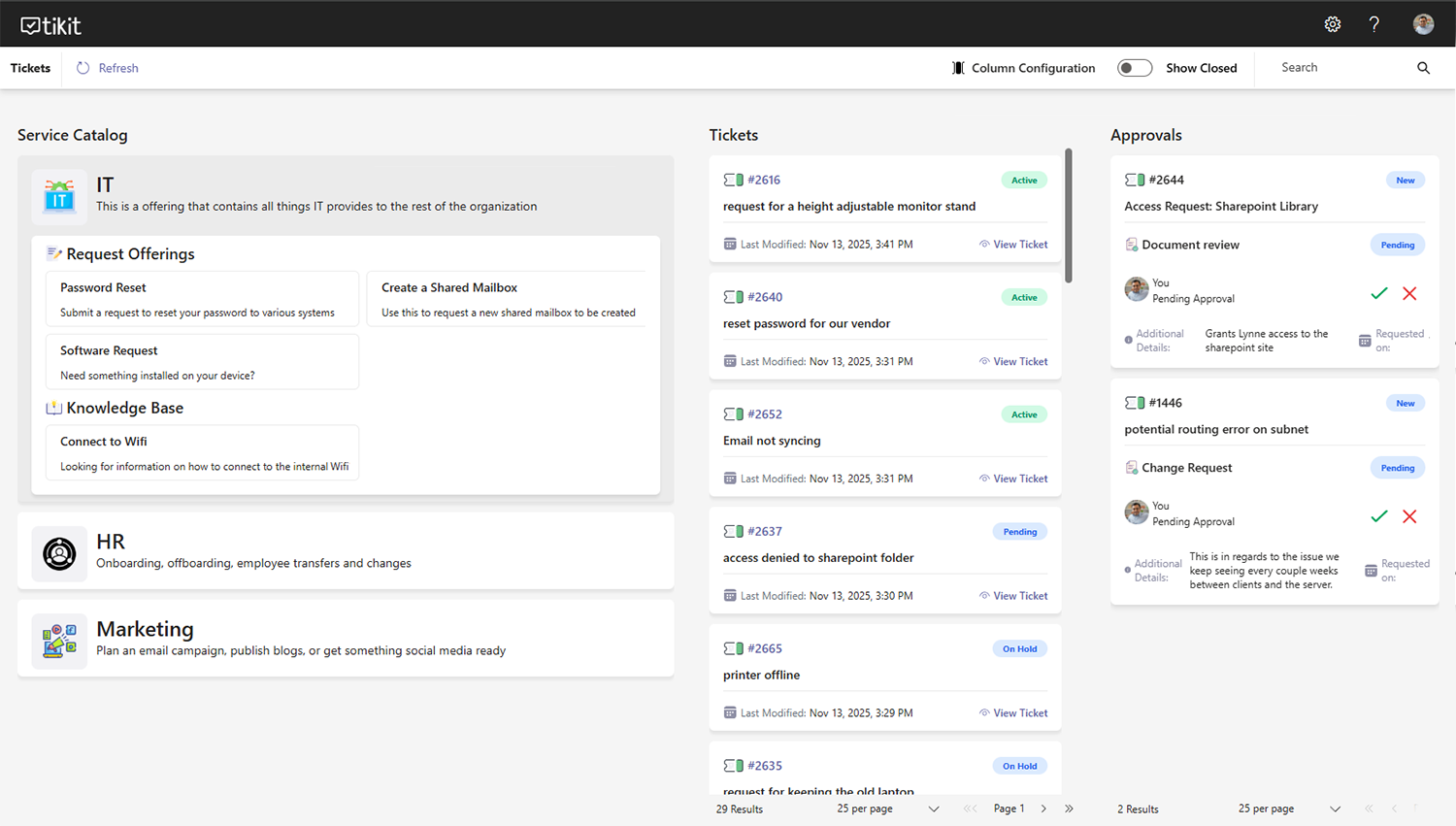
Give agents a central place to triage, prioritize, and resolve requests, with tickets, queues, and actions in one view.

End User Tikit Portal

A self-service front door for every request

Give employees a simple way to get help, wherever they’re working. The End User Portal makes it easy to submit requests, track progress, and find the support they need, all from a single destination.

Web and Outlook Create a Ticket

Turn every support email into a tracked request

Employees can keep working the way they always have. Tikit automatically converts incoming emails into tickets, routes them to the right team, and keeps every interaction connected to the same ticket record.

AI HELP DESK & SELF-SERVICE

Resolve more requests before they become tickets

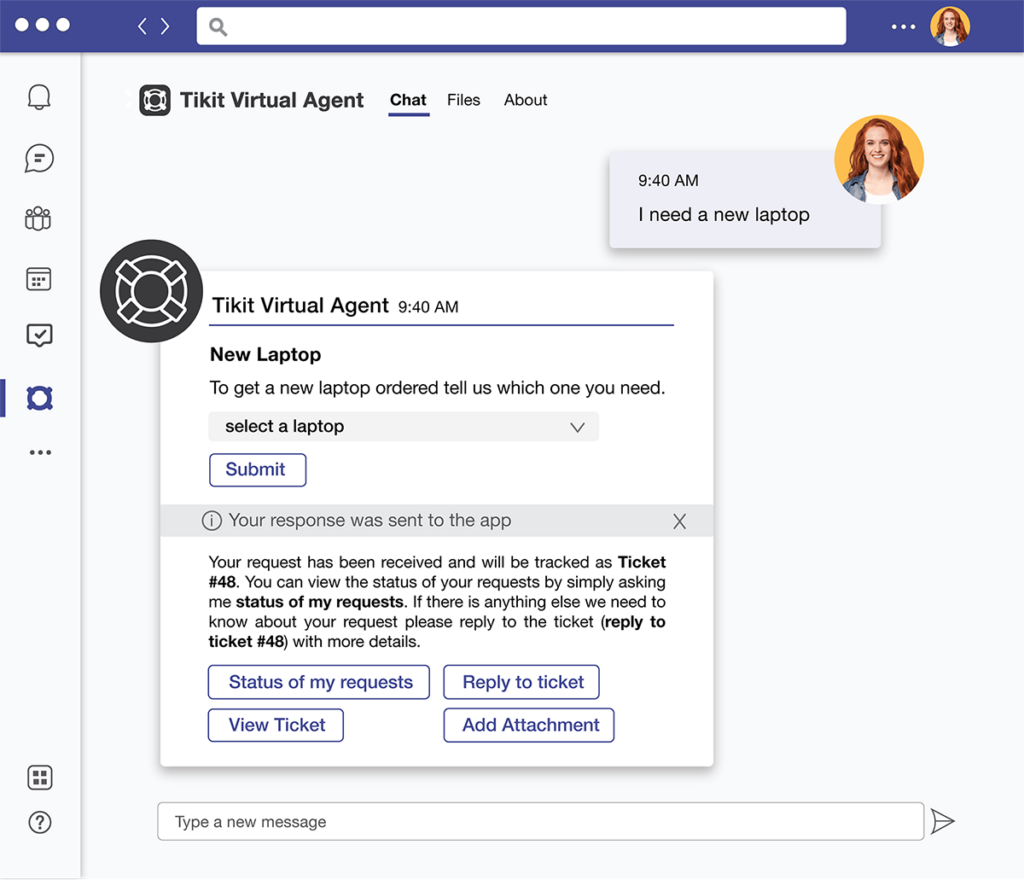
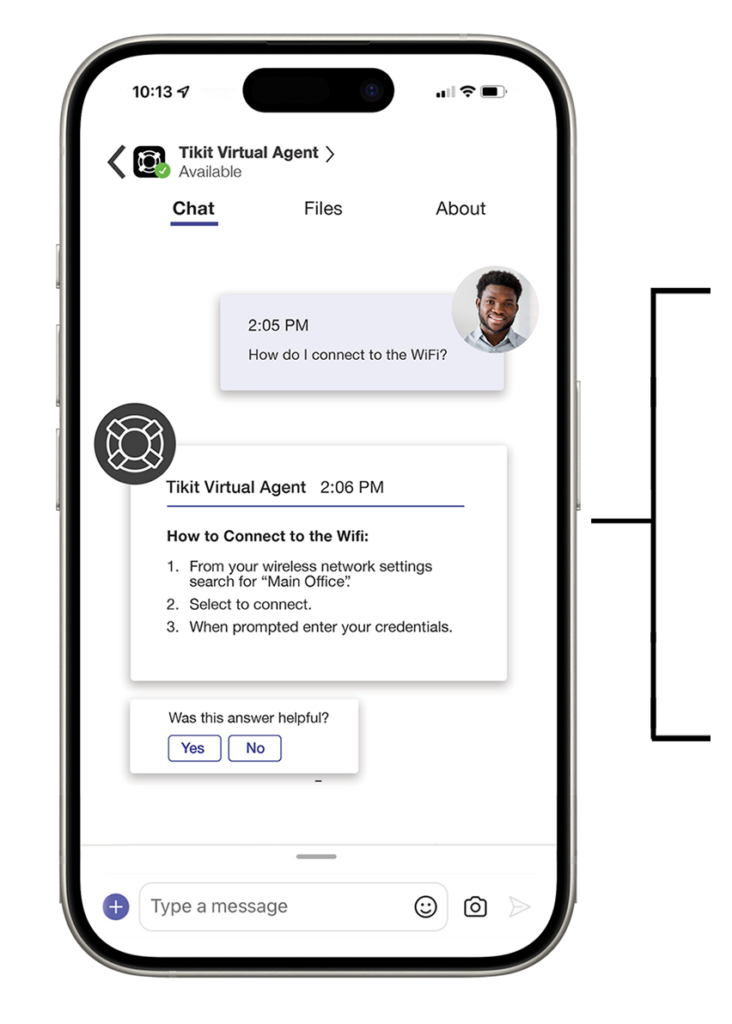
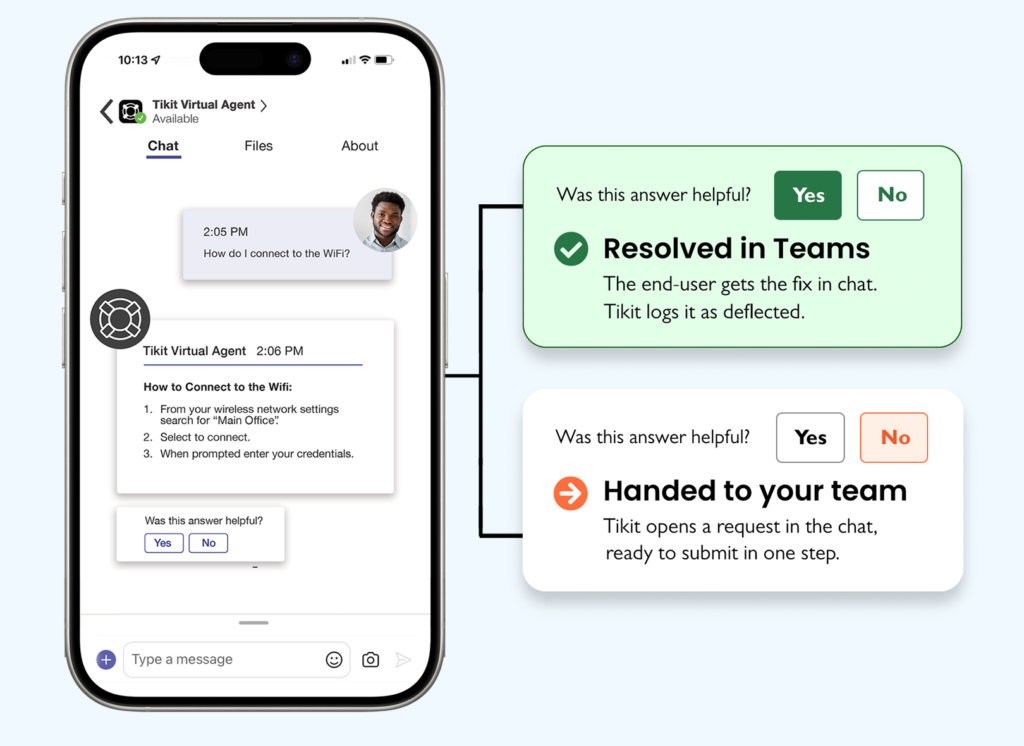
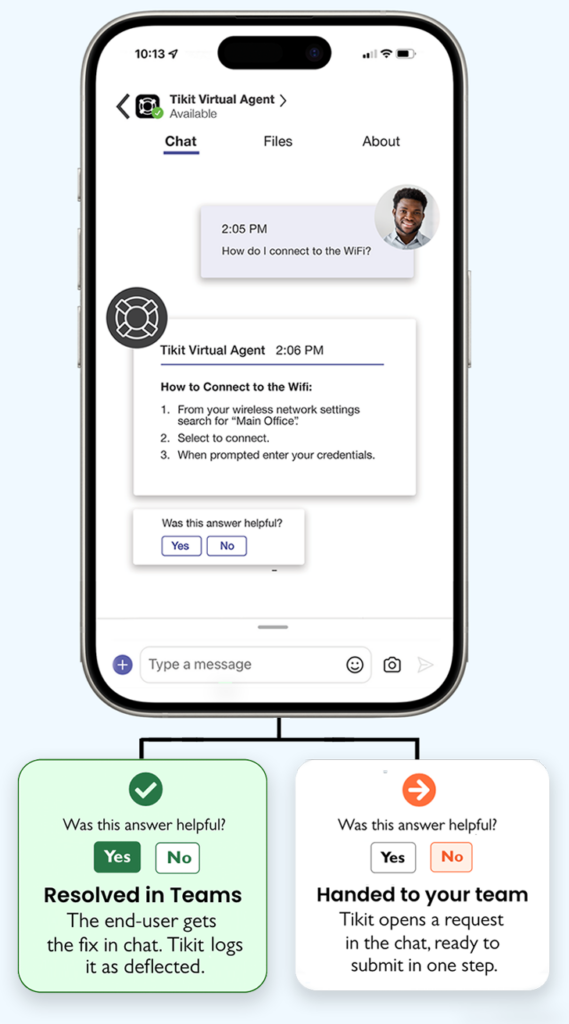
End-users get instant answers, service request help, and ticket updates directly in Microsoft Teams. The Tikit Virtual Agent searches approved knowledge sources across SharePoint and OneDrive, generates responses using Azure AI, and automatically routes unresolved requests to the right team with full context. 

Mobile Experience Tikit TVA
Mobile Experience TikitOverview TVA
Mobile Experience Tikit Overview TVA Mobile2

What else Tikit handles

Ticket status

Check request progress, approvals, and updates instantly without contacting a service desk.

Answers you can trust

Every answer comes from your approved SharePoint, intranet, or other trusted sources.

Request anything

Request hardware, software, access, new-hire setup, and other services without leaving Microsoft Teams.

ITIL-ALIGNED SERVICE MANAGEMENT

More than tickets. End-to-end service management.

Tikit moves you beyond basic ticketing with ITIL-aligned workflows for requests, changes, service levels, assets, and reporting, delivered through Microsoft Teams and Microsoft 365.

Get new hires ready for day one

HR starts the request in Teams. Tikit coordinates the approval tasks while automated workflows set up accounts in connected systems. 

Submit in Teams

HR starts the request

Approve in Teams

The manager signs off

Manage in Tikit

Tasks, owners, and SLAs

Track Progress

Updates arrive in Teams

Report in Power BI

Stakeholders see the results

Why it matters: Coordinate people, approvals, tasks, and systems in one process.

Advanced Workflows

Microsoft tools used:

Microsoft Excel logo
Microsoft Office Outlook 2018–present.svg 1
New Power BI Logo.svg scaled 1
Microsoft Entra ID color icon.svg
MS Teams logo
Microsoft Power Automate 2025 present

Get new hires ready for day one

HR starts the request in Teams. Tikit coordinates the approval tasks while automated workflows set up accounts in connected systems. 

Submit in Teams

HR starts the request

Approve in Teams

The manager signs off

Manage in Tikit

Tasks, owners, and SLAs

Track Progress

Updates arrive in Teams

Report in Power BI

Stakeholders see the results

Why it matters: Unify people, approvals, tasks, and systems.

Advanced Workflows

Microsoft tools used:

MS Teams logo

Microsoft Teams

Microsoft Office Outlook 2018–present.svg 1

Outlook

Microsoft Power Automate 2025 present

Power Automate

Microsoft Entra ID color icon.svg

Entra

New Power BI Logo.svg scaled 1

Power BI

Microsoft Excel logo

Excel

Manage change from start to finish

IT plans a server upgrade. Tikit gathers CAB approvals in Teams, triggers Power Automate workflows, and reports the outcome in Power BI.

Assess and plan

Scope, risks, and tasks

Approve in Teams or email

Managers and CAB approve

Govern execution

Tikit tracks every step

Report

Dashboards in Power BI

Why it matters: Tikit provides governance, visibility, and accountability across the change lifecycle.

TVA Laptop Request 09

Microsoft tools used:

microsoft intune
Microsoft Office Outlook 2018–present.svg 1
New Power BI Logo.svg scaled 1
Microsoft Entra ID color icon.svg
MS Teams logo
Microsoft Power Automate 2025 present

Manage change from start to finish

IT plans a server upgrade. Tikit gathers CAB approvals in Teams, triggers Power Automate workflows, and reports the outcome in Power BI.

Assess and plan

Scope, risks, and tasks

Approve in Teams or email

Managers and CAB approve

Govern execution

Tikit tracks every step

Report

Dashboards in Power BI

Why it matters: Govern change with visibility and accountability.

TVA Laptop Request 09

Microsoft tools used:

microsoft intune

Intune

Microsoft Office Outlook 2018–present.svg 1

Outlook

New Power BI Logo.svg scaled 1

Power BI

Microsoft Power Automate 2025 present

Power Automate

Microsoft Entra ID color icon.svg

Entra

MS Teams logo

Microsoft Teams

Stay ahead of SLA targets

Tikit manages SLA targets, performance tracking, and escalations. Microsoft tools help notify teams, automate actions, and surface service desk insights.

Define SLA Targets

Set response and resolution times by priority, category or any metric across the business.

Monitor performance

Track SLA status and remaining time in Tikit.

Automate response

Escalate risks and notify agents in Teams or email before targets are missed.

Report

Visualize SLA metrics via Power BI or Excel.

Why it matters: Tikit provides visibility, accountability, and automation across SLA commitments.

SLA in Tikit

Microsoft tools used:

Microsoft Excel logo
Microsoft Office Outlook 2018–present.svg 1
New Power BI Logo.svg scaled 1
Microsoft Entra ID color icon.svg
MS Teams logo
Microsoft Power Automate 2025 present

Stay ahead of SLA targets

Tikit manages SLA targets, performance tracking, and escalations. Microsoft tools help notify teams, automate actions, and surface service desk insights.

Define SLA Targets

Set response and resolution times by priority, category or any metric across the business.

Monitor performance

Track SLA status and remaining time in Tikit.

Automate response

Escalate risks and notify agents in Teams or email before targets are missed.

Report

Visualize SLA metrics via Power BI or Excel.

Why it matters: Build trust through accountability.

SLA in Tikit

Microsoft tools used:

Microsoft Excel logo

Excel

Microsoft Office Outlook 2018–present.svg 1

Outlook

New Power BI Logo.svg scaled 1

Power BI

Microsoft Power Automate 2025 present

Power Automate

Microsoft Entra ID color icon.svg

Entra

MS Teams logo

Microsoft Teams

Track and manage all assets in one place.

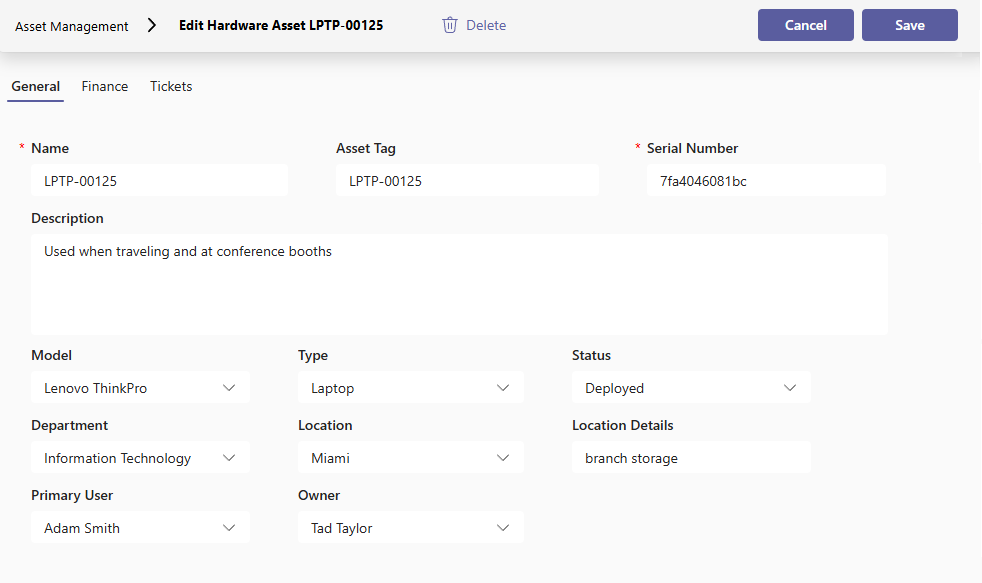
An employee reports a broken laptop in Teams. Tikit shows its owner, warranty, and ticket history, with compliance data synced from Intune.

Build the inventory

Owner, location, and warranty

Track asset relationships

Linked to every ticket

Maintain visibility

Status syncs from Intune

Plan replacements ·

Warranty dates in view

Why it matters: Tikit provides a single source of truth for assets, ownership, and service desk history.

Asset Management in Tikit

Microsoft tools used:

Microsoft Excel logo
microsoft intune
New Power BI Logo.svg scaled 1
Microsoft Entra ID color icon.svg
Powerapps logo.svg
Microsoft Power Automate 2025 present

Manage assets in one place

An employee reports a broken laptop in Teams. Tikit shows its owner, warranty, and ticket history, with compliance data synced from Intune.

Build the inventory

Owner, location, and warranty

Track asset relationships

Linked to every ticket

Maintain visibility

Status syncs from Intune

Plan replacements ·

Warranty dates in view

Why it matters: Know what you have and who owns it.

Asset Management in Tikit

Microsoft tools used:

Powerapps logo.svg

Power Apps

Microsoft Excel logo

Excel

New Power BI Logo.svg scaled 1

Power BI

Microsoft Power Automate 2025 present

Power Automate

Microsoft Entra ID color icon.svg

Entra

microsoft intune

Intune

See what matters with Power BI dashboards

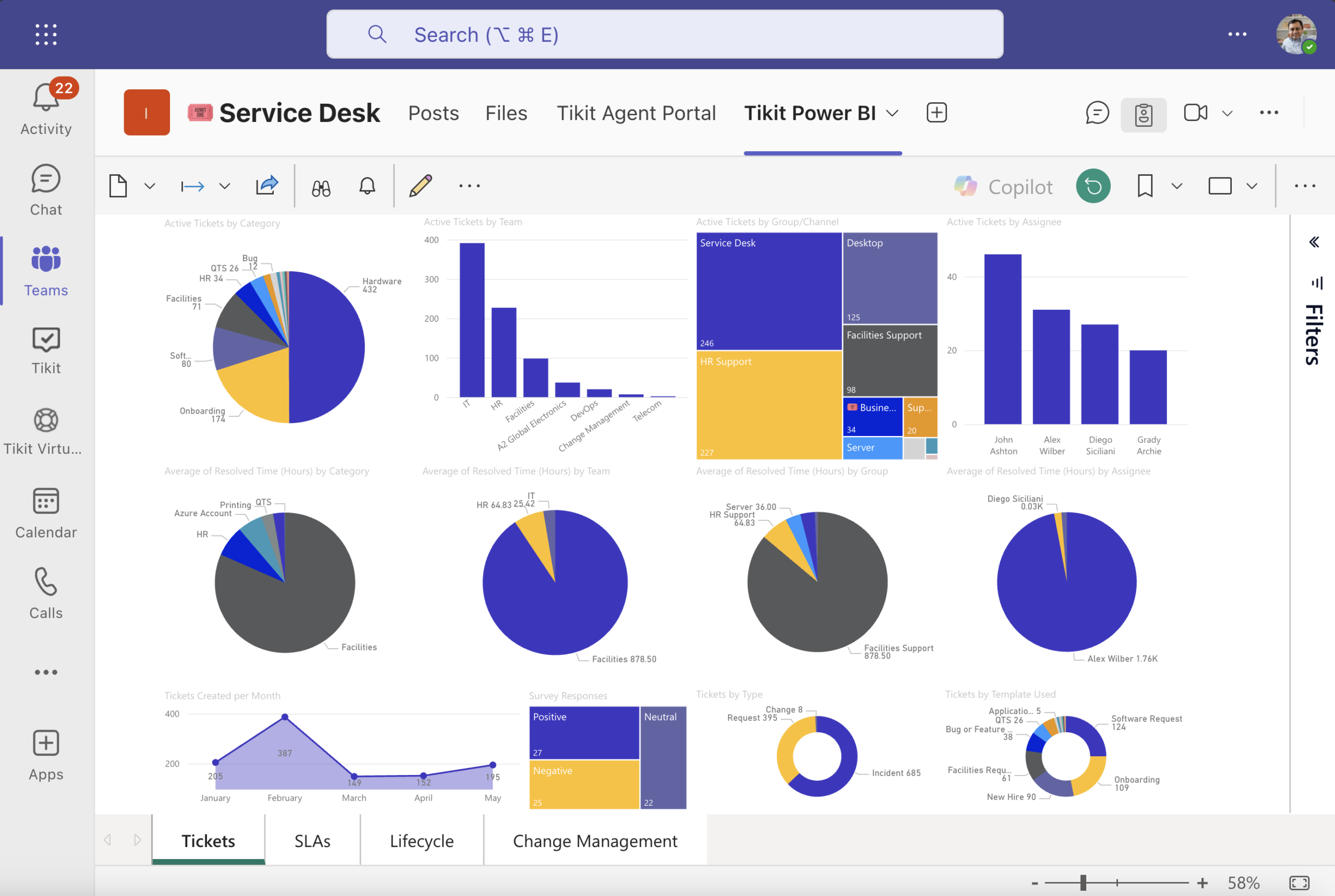
Leadership asks how the service desk is doing. Tikit brings requests, changes, SLAs, and assets together in Power BI and Excel.

Capture service desk data

Tikit syncs it automatically

View dashboards

Pre-built metrics and trends

Share in Teams or email

Stakeholders get the reports

Drive improvement

Managers fix the bottlenecks

Why it matters: Turn service desk data into better decisions.

5 Power BI Reporting in Teams Option 2 scaled

Microsoft tools used:

Microsoft Excel logo
Microsoft Office Outlook 2018–present.svg 1
New Power BI Logo.svg scaled 1
Microsoft Entra ID color icon.svg
MS Teams logo
Microsoft Power Automate 2025 present

See what matters in Power BI

Leadership asks how the service desk is doing. Tikit brings requests, changes, SLAs, and assets together in Power BI and Excel.

Capture service desk data

Tikit syncs it automatically

View dashboards

Pre-built metrics and trends

Share in Teams or email

Stakeholders get the reports

Drive improvement

Managers fix the bottlenecks

Why it matters: Turn service desk data into better decisions.

5 Power BI Reporting in Teams Option 2 scaled

Microsoft tools used:

Microsoft Excel logo

Excel

Microsoft Office Outlook 2018–present.svg 1

Outlook

New Power BI Logo.svg scaled 1

Power BI

Microsoft Power Automate 2025 present

Power Automate

Microsoft Entra ID color icon.svg

Entra

MS Teams logo

Microsoft Teams

MICROSOFT 365 SERVICE DESK

Tikit is the service desk Microsoft should have built

You already have the pieces. Microsoft provides the tools for collaboration, identity, device management, automation, and reporting. Tikit brings them together in a single service desk and ITSM platform built natively for your Microsoft ecosystem.

Where employees work

MS Teams logo

Microsoft Teams

Request, Track, Approve

tikit color icon

Tikit Web Portals

End User and Agent portals

Microsoft Office Outlook 2018–present.svg 1

Microsoft Outlook

Request help by email

Group 1
Group 1 for Mobile e1794339443826
Tikit Logo White scaled e1791487580377
Group 2 for Mobile
Group 2 e1794339675515
microsoft intune

Intune

Device & asset data

Azure Foundry Icon

Azure AI

Tikit Virtual Agent

DevOps logo

Azure DevOps

Build, test, deploy

Microsoft Entra ID color icon.svg

Entra

Single sign-on

Microsoft Power Automate 2025 present

Power Automate

Automate workflows

microsoft sharepoint

SharePoint

Files in your tenant

New Power BI Logo.svg scaled 1

Power BI

Visual reporting

Why it matters

Instant adoption

Employees get help in an app they use every day. Nothing new to learn.

Fewer tools to manage

One service desk instead of separate tools stitched together.

More for your licenses

Tikit puts the Microsoft 365 you pay for to work.

Your first ticket is one right-click away.

Install Tikit in Teams, create a ticket from a message, see the whole flow in your own environment.

MULTI-DEPARTMENT SERVICE DESK

One service desk for every department

Tikit works for any team that handles requests. Most organizations start with IT, then add HR, facilities, finance, and more, all in one platform inside Microsoft Teams.

HR e1789591006605

HR

Give employees one simple place to get answers from HR.

Popular Uses

MultiDepartment Facilities Working In Office

Facilities

Turn office issues and bookings into tracked tickets.

Popular Uses

Accounting Team

Finance

Route money questions to the right person, with every answer on record.

Popular Uses

Built for Teams. Ready for every team.

HOW TIKIT COMPARES

Why Tikit is the right choice for Microsoft organizations

The ITSM capabilities you expect, built around the Microsoft tools you already use.

Why Tikit is Different

Tikit

Fresh Service

Service Now

Halo ITSM

Jira

Why Tikit is different

tikit small logo

Freshservice

ServiceNow

Halo ITSM

Jira

Built into Microsoft Teams

Core experience, out of the box


Teams integration, set up separately


Built for Microsoft 365
Entra, Intune, Power Automate, Azure AI

Designed around it from day one


Integrates with select Microsoft tools


Setup time

Days

Weeks

Months

Weeks

Weeks

Dedicated support

Real people, included

Varies by plan

Varies by plan

In every plan

Varies by plan

Best fit

Microsoft-first organization

General IT teams

Large enterprises

General IT teams

Atlassian-centric teams

Ticket, request & change management

Varies by plan

Knowledge, SLAs & approvals

AI Teams bot & virtual agent

Optional

Optional

Optional

Optional

IT asset management

Varies by plan

Varies by plan

Automation

Reporting & dashboards

Multi-department workflows

Separate add-on products

Separate projects

Based on publicly available vendor information as of October 2026. Product names are trademarks of their respective owners.

CUSTOMER PROOF

We're passionate about our customers' success

I've Loved it!

“Support from the Tikit team is just incredible…I couldn't ask for a better company to work with. I’ve loved it.”
Demi Vargas
Operations and Professional Development at Southwest Bank

An Absolute Lifesaver

"Tikit has been an absolute lifesaver for our company to get IT support on track."
Thomas Portz
Systems Engineer at MXD Process

Configuration is Easy

"We were up and running within a couple of days – including testing. The configuration is easy."
Jan Vidar Håtuft
Senior Engineer at Norwegian School of Economics

Frequently asked questions

We hear it all the time—the value of what you get for what you pay is amazing! Tikit pricing is simple and affordable. We offer three convenient plans with agent-only pricing so you only pay for what you need. And volume discounts mean the more agents you add, the more you save! Check out our pricing page to learn more.

Tikit is SOC 2 Type 2, GDPR and HIPAA compliant. Please refer to our security page for all details around Tikit security and compliance. If you have any additional questions about security, please reach out to SecAdmin@cireson.com.  

Tikit is the most natively integrated Microsoft 365 ticketing solution on the market, allowing you to work all of your support tickets without leaving Teams. This is also true in the Teams mobile app. However, for those that prefer a web UI, Tikit has a fully functional Web App for both agents and end–users, available only on M365 Service Desk and M365 ITSM plans.

Well, we don’t just say “the World’s Best IT Ticketing System” for fun — our users say it too. On Microsoft AppSource, Tikit has more 5-star ratings than the other guys (yes, we double-checked). Plus, every day we hear from folks who switched to Tikit who say things like “Tikit is the BEST vendor we are working with right now.” or “Why didn’t we find this sooner?” 

Here’s a recent quote: "I love Tikit...Nothing integrates with M365 the way Tikit does. We are only limited by our imaginations in Power Automate. The features they deliver are great, and...everyone, I mean EVERYONE. Is incredible. Tikit is the BEST vendor we are working with right now. And I am genuinely blown away that from the moment we signed to even now...everyone is STILL helping us." Lee Bodson, Information Technologist at Public Health Sudbury & Districts

So yes — we think Tikit is the best service desk, at least for Microsoft-first teams who want serious features and great support. But don’t take our word for it — try it yourself, see how you feel!

Purchasing the Tikit solution is optional at the end of the free trial period. We do not require a credit card for either the trial or the free setup.  

Your service desk is already in Teams.
You just haven't set it up yet.

Scroll to Top