
FREE EXPERT SETUP FOR TIKIT
Get Tikit installed by someone who's done it a thousand times.

A Cireson Solutions Architect installs, activates, and configures Tikit with you in a live working session inside Microsoft Teams.
Sign up for your free Tikit Setup
No cost setup
Expert-assisted setup with no obligation
Live session
A scheduled, hands-on working session
Dedicated expert
Work directly with a Solutions Architect
HOW FREE SETUP WORKS
Get Tikit installed, configured, and ready to use.
This is a working setup session not a product presentation. Your Solutions Architect focuses on the practical steps that get Tikit running in your Microsoft environment.
Book a time
Choose a time that works for you.
Prepare your environment
Get everything you need to prepare.
Configure Tikit together
Set up Tikit with expert guidance.
Start evaluating
Leave with Tikit ready to evaluate.
What gets configured in the session
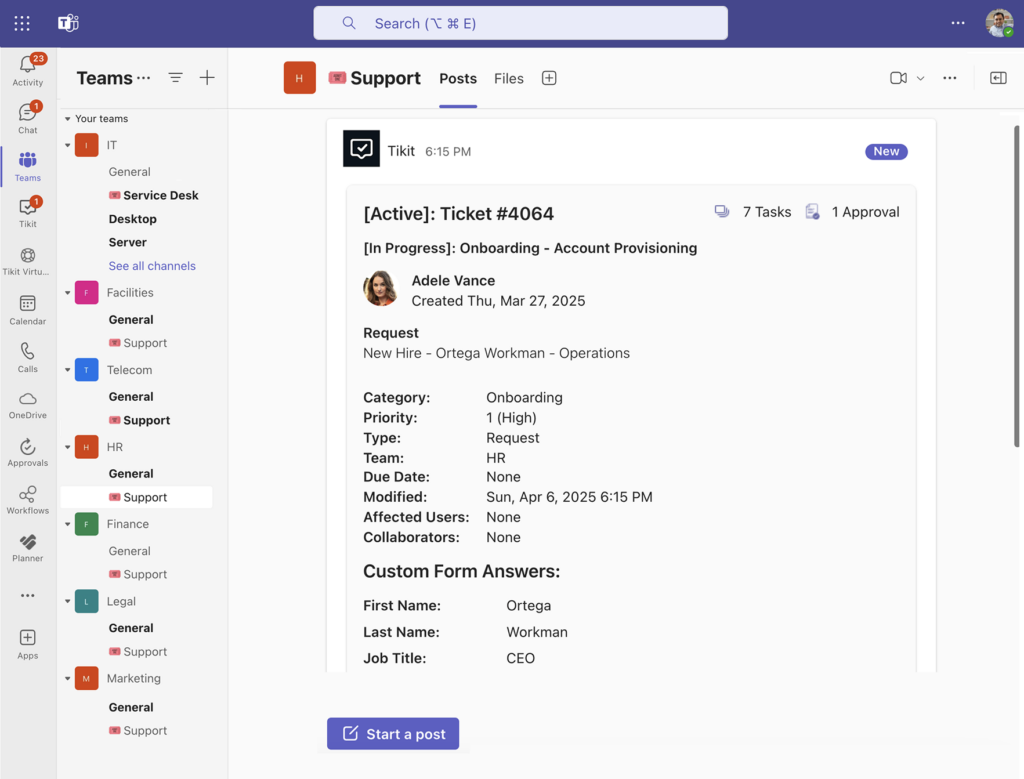
Your Solutions Architect configures the core pieces of your service desk with you, live in Microsoft Teams.
Teams & support channels
Configure users, groups, and working support channels in Microsoft Teams.
Multi-department setup
Set up your first non-IT support team for HR, facilities, finance, or another department.
Tikit Virtual Agent + first knowledge base
Install both, connecting your first KB article for AI-powered ticket deflection.
Email connector
Configured and tested against a real inbox.
Intune, Power BI & Power Automate
Connect, configure, and test Tikit across your Microsoft 365 environment.
WHAT YOU ARE SETTING UP
A working service desk inside Microsoft Teams
Tikit is installed and configured in your Microsoft environment, giving you a real setup to start evaluating immediately.
Teams support
Give end users help directly in Microsoft Teams
AI self-service
Answer common requests automatically
Microsoft connected
Connect the Microsoft tools you already use
Frequently asked questions
Do I have to buy Tikit after Free Setup?
Purchasing the Tikit solution is optional at the end of the free trial period. We do not require a credit card for either the trial or the free setup.
What other help is available after a Free Setup Session?
Tikit has a dedicated support and onboarding team there to answer your questions and ensure you are setup for success. Additionally, you can find helpful resources and guides on our help website: kb.cireson.com.
Will I get a recording of my Free Setup Session?
Yes, this call is being recorded and will be available in Teams to revisit as much as needed.
What happens to my setup when my trial expires?
You have twenty-one (21) days from the expiration of your Tikit trial to complete your purchase and retain your setup of Tikit. If you do not purchase Tikit within the 21 days, you will need to re-setup Tikit as a new trial. For any additional purchase questions, please reach out to the Tikit Team at team@cireson.com.
Why do I have to bring a Microsoft admin to this session?
In order to provision Tikit, you must have admin permissions in your organization’s Microsoft 365 tenant. We require an admin bepresent on this call to ensure we can provision and setup your instance properly without disruption.
Pick a time. We bring the expert.
Free, hands-on, and tailored to how your team works.
Not a demo. A working setup with your own Microsoft tools.
Expert-led. A Cireson Solutions Architect guides every step.
Paced to you. Session length varies with your Microsoft environment.