Meet Time Tracking: More Visibility Into the Work Behind Every Ticket
Tickets tell you what work needs to be done. Now Tikit can also help you capture how much agent time goes into that work.
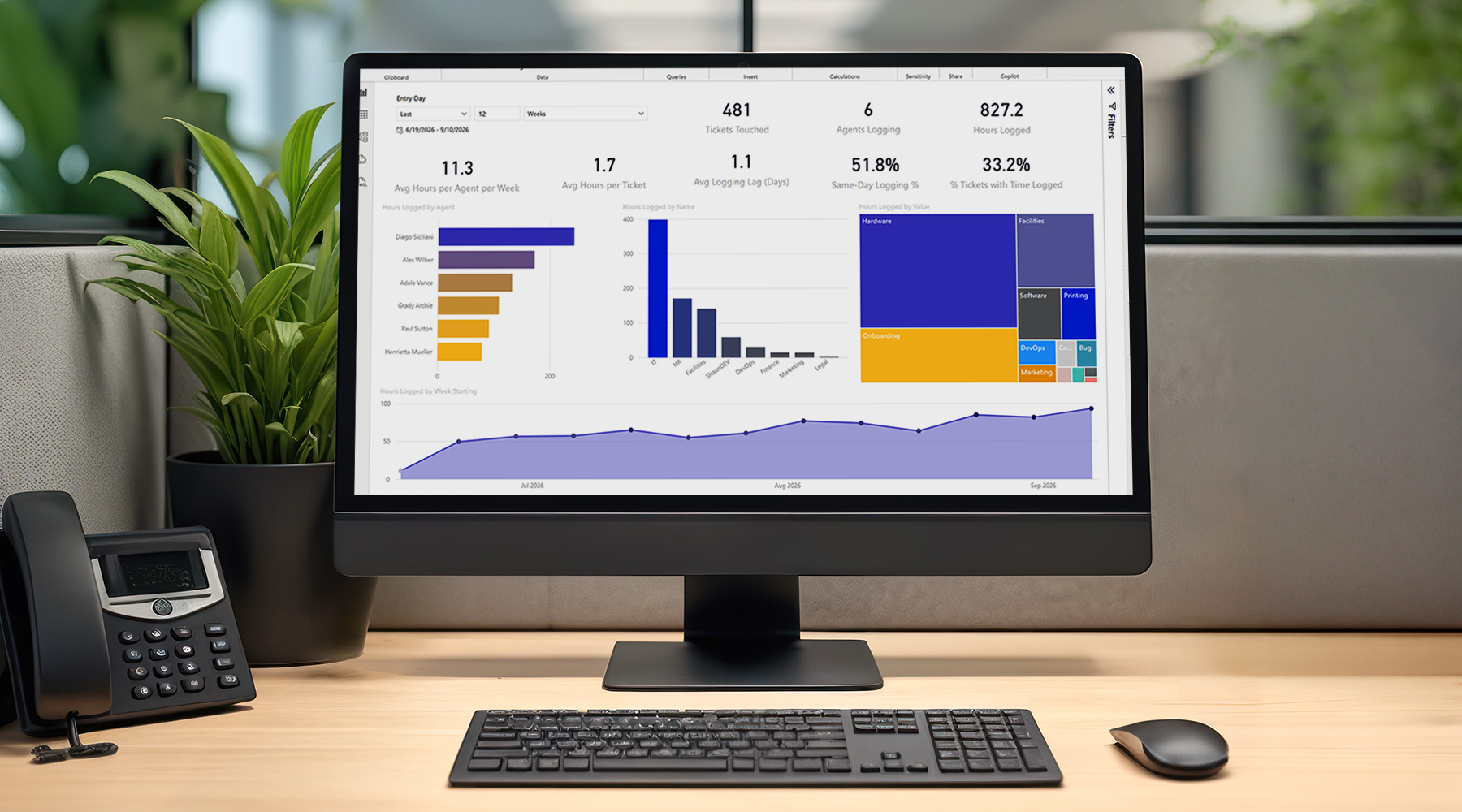
With the new Time Tracking capability enabled, agents can log time directly on tickets, review time recorded by themselves and their teammates, and see total time associated with the ticket. An updated Power BI template adds a dedicated reporting experience so service teams can analyze time alongside ticket data.
Time Tracking is an opt-in experience, giving administrators control over whether to enable it and how time should be captured across the organization.
What Is Time Tracking in Tikit?
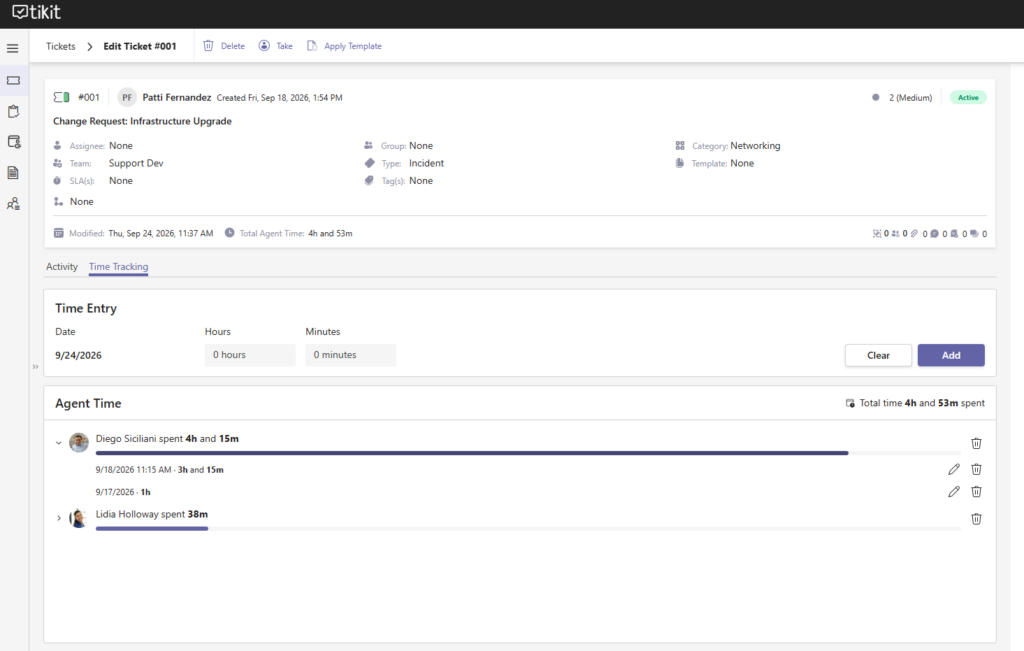
Time Tracking is a ticket-level capability that lets agents record time spent on service work and keeps those entries connected to the ticket where the work happened. Once enabled, tickets gain a dedicated Time Tracking tab alongside Activity.
Agents can add time entries, see total time recorded on a ticket, and review time by agent. The result is a clearer view of the effort behind ticket activity without requiring a separate time-entry process disconnected from the service desk.
Configure Time Tracking to Fit Your Organization
Administrators can enable Time Tracking from Tikit Configuration and choose how the experience should work for their organization.
Available configuration options include:
- Restrict time entry to the current day.
- Capture the start time associated with an entry.
- Restrict time entries to 15-minute increments.
Once Time Tracking is enabled, tickets support the new experience without requiring agents to move into a separate application or reporting tool just to record their time.
Log Time Directly on Tickets
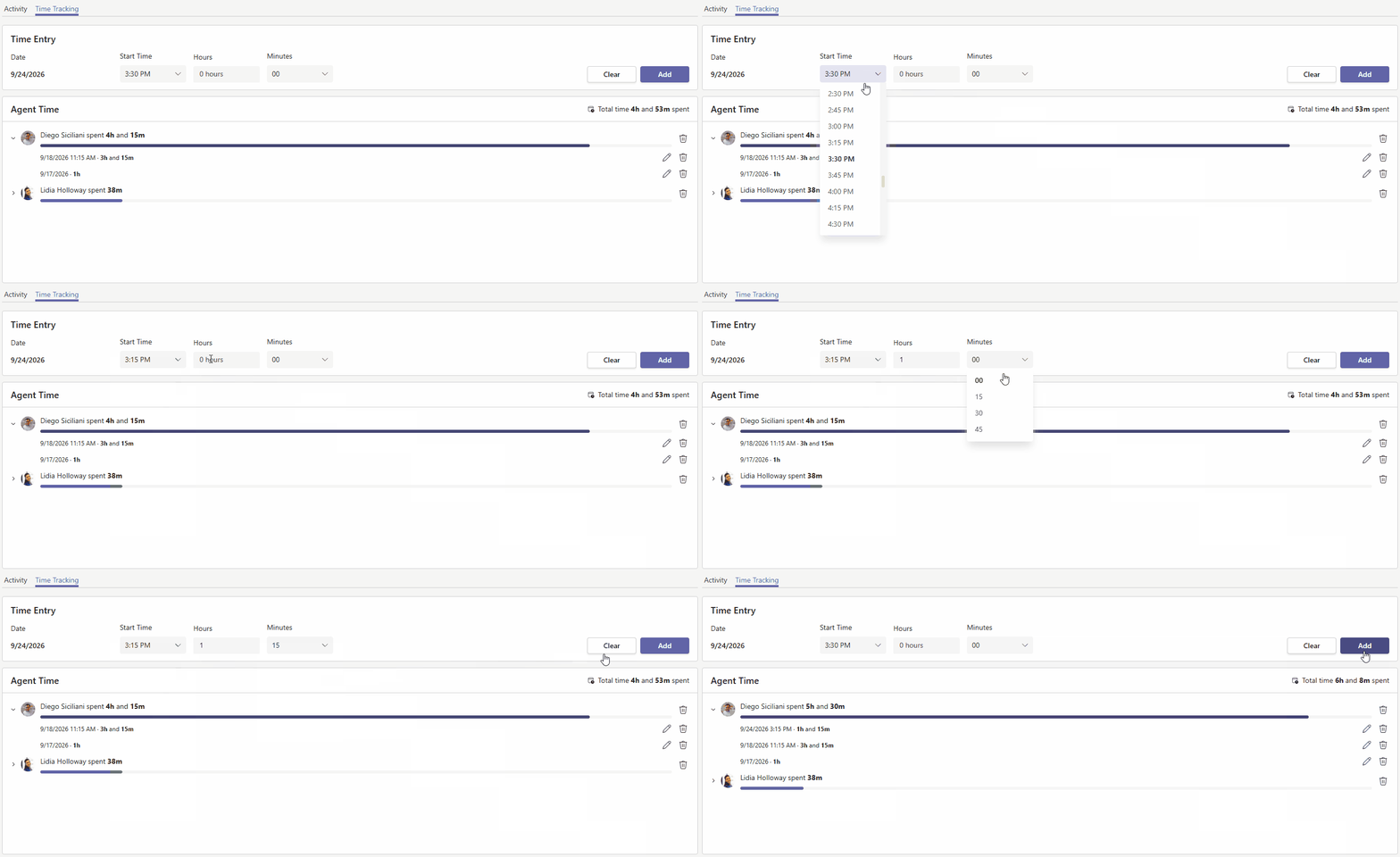
The new Time Tracking tab puts time entry directly inside the ticket experience. Agents can select the applicable date, enter hours and minutes, and, when configured, capture a start time before adding the entry.
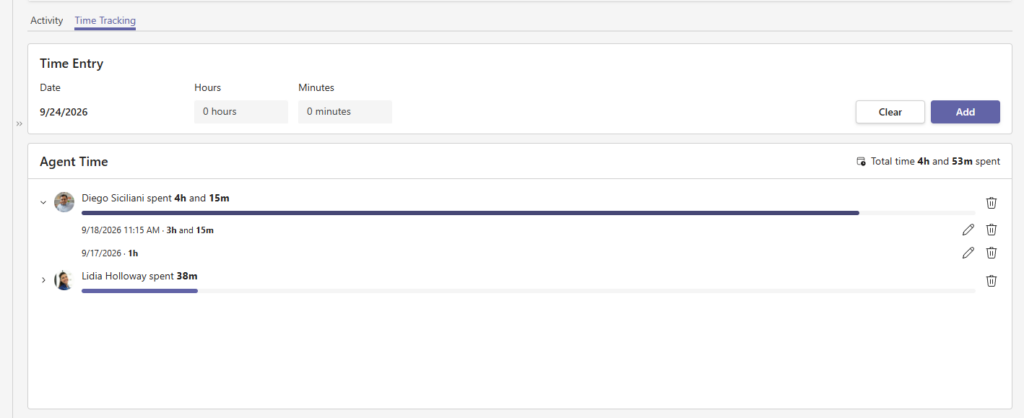
Total time remains visible on the ticket, while the Agent Time area shows how recorded time is distributed across the people who have logged work.
Add Time in a Few Steps
The time-entry flow is intentionally simple: choose the appropriate time details, add the entry, and the ticket immediately reflects the updated time history.
Review Time by Agent and Ticket
Time Tracking also makes the recorded effort easier to review in context. The ticket displays total time spent, while individual agents can be expanded to see the entries associated with their work.
Existing entries can be brought back into the editor when changes are needed, and the interface provides controls for removing entries as appropriate. That makes the ticket itself the working record for both the service activity and the time associated with it.
Turn Time Tracking Data Into Power BI Insights
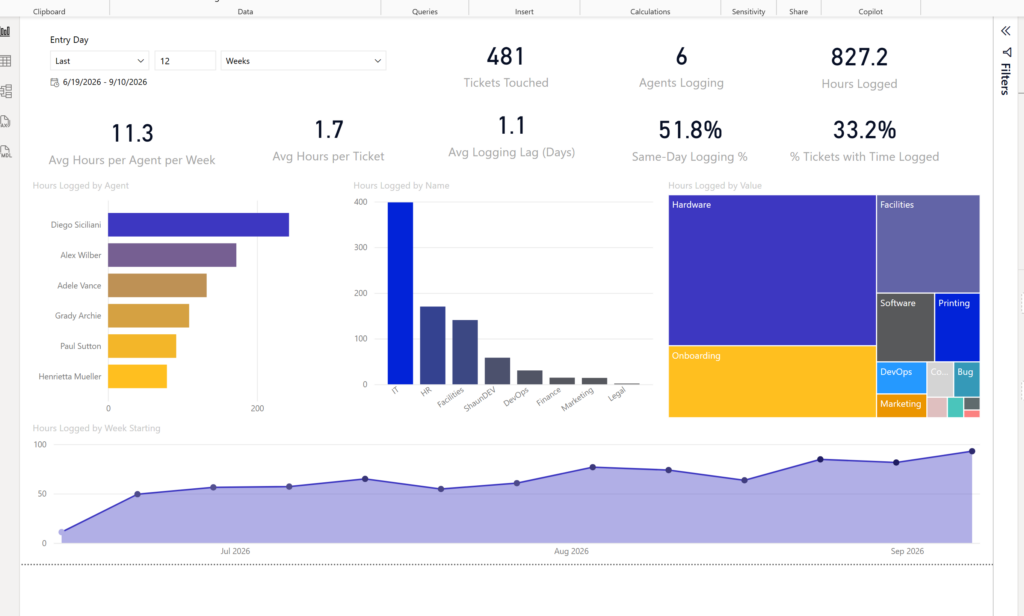
Time entry is only part of the story. Tikit’s updated Power BI integration adds a dedicated time-management reporting page so teams can analyze time data alongside tickets, agents, teams, and categories.
The reporting experience can surface metrics such as:
-
Total hours logged and tickets touched.
-
How many agents are logging time.
-
Average hours per agent per week.
-
Average hours per ticket.
-
Average logging lag and same-day logging percentage.
-
The percentage of tickets with time logged.
-
Time grouped by agent, team, category, or other reporting dimensions.
Cireson’s Power BI template provides a fast starting point while remaining customizable for organizations that want to extend the reporting or use the underlying queries in their own dashboards.
What Can You Learn From Time Tracking?
Connecting time data to ticket data gives service leaders another way to understand how work is actually being delivered. Depending on how your organization uses Time Tracking, you can begin answering questions such as:
-
Which types of tickets or categories are consuming the most recorded agent time?
-
Where is service effort concentrated across teams or agents?
-
How consistently is time being captured across the service desk?
-
How does recorded effort change from week to week?
-
How quickly are agents recording time after the work occurs?
Those insights can provide useful context for workload discussions, process reviews, staffing decisions, and ongoing service improvement.
Also New: Native Round Robin Assignment in Automations
The Time Tracking release also brings native Round Robin Assignment to Tikit automation capabilities.
When Round Robin is used as part of an Update Ticket action, Tikit can automatically assign the next assignee for a selected Group. This gives organizations another way to distribute incoming work without relying on manual assignment for every ticket.
Bring More Visibility to Service Management
Time Tracking adds operational context to the ticket record. Teams can see not only what work was requested and how it progressed, but also the time that agents recorded against that work.
Combined with Power BI reporting, that creates a stronger foundation for understanding effort, identifying patterns, and having more informed conversations about how service work is distributed across the organization.
Ready to Explore Time Tracking?
Already using Tikit?
Enable Time Tracking from Tikit Configuration and start exploring how it fits your service workflows.
Currently evaluating Tikit?
Use your 14-day trial to see how ticket-level time entry and Power BI reporting can support your team.
New to Tikit?
Start a free 14-day trial or book a personalized demo to see how Tikit brings service desk and ITSM capabilities into the Microsoft ecosystem.