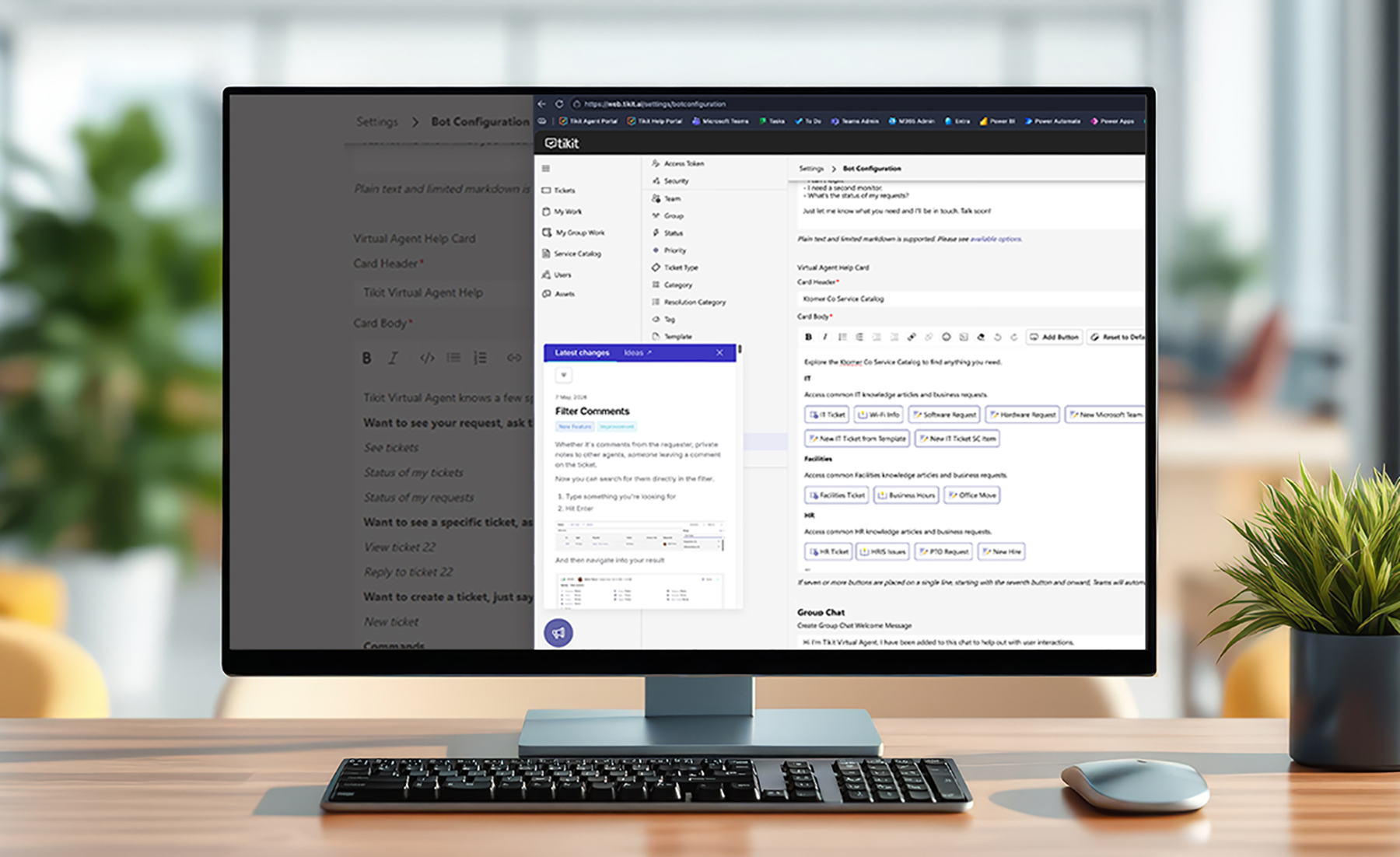
Meet Sharing: The Right Tikit Experience for the Right People
Not every employee needs the same services. Not every agent needs the same ticket Views. And not every department works the same way.
That is why we are introducing Sharing, one of Tikit’s most significant releases yet.
Sharing gives organizations more control over who sees and uses different experiences throughout Tikit. Using Microsoft Entra users and groups or Tikit teams, groups, and assignees, you can make Views, Templates, Service Catalog Items, and Tikit Virtual Agent experiences more relevant to the people who actually need them.
And Sharing is only part of this release. We are also introducing Admin View, new comment management capabilities, bulk ticket deletion, and other improvements designed to make Tikit more flexible for administrators and agents.
What Is Sharing in Tikit?
Sharing is a new set of sharing and visibility controls that
lets you tailor more of the Tikit experience around specific audiences.
Instead of assuming that everyone should see or use the same
resources, you can determine which users, groups, teams, or agents should
experience specific content.
Sharing extends across several areas of Tikit:
- Views
- Templates
- Service Catalog Items
- Requester Portal experiences
- Tikit Virtual Agent responses
- Virtual Agent Help Card content and actions
Create Views That Fit the Way Your Teams Work
Views have been significantly expanded as part of the Sharing release.
You can now create different types of Views depending on who needs them and how broadly they should be available.
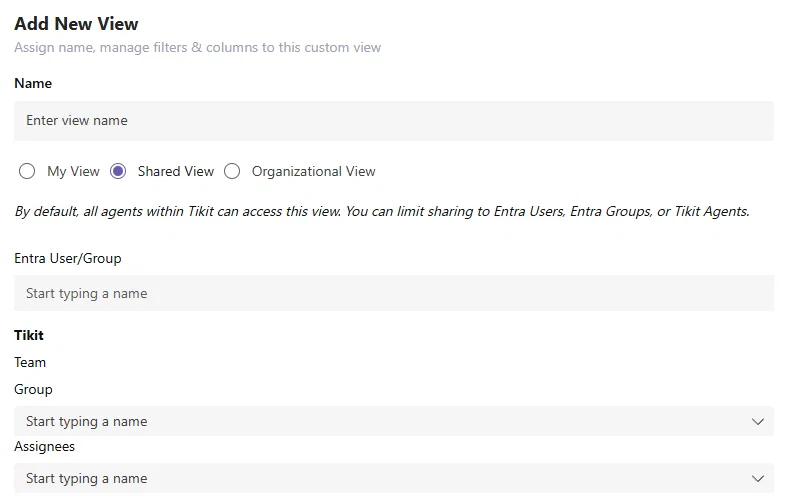
My Views
Create a View specifically for yourself and the way you work.
An individual agent might create a View for certain ticket types, priorities, assignments, or other information they frequently need.
Shared Views
Shared Views can be made available to specific audiences using Entra users and groups or Tikit teams, groups, and assignees.
For example, a specialized IT or Security View can be shared with the people who need it without adding unnecessary clutter for other agents.
Organizational Views
Organizational Views can be made available more broadly across Tikit.
You can also establish an Organizational View as the Default View, helping agents begin from a consistent starting point when they access Tikit.
Use Views While Editing Tickets
The updated Views experience also extends into Edit Ticket.
Agents can use the same relevant Views while working within the larger ticket list or directly from the Edit Ticket experience.
Share Templates With the Agents Who Need Them
Sharing also introduces sharing controls for Templates.
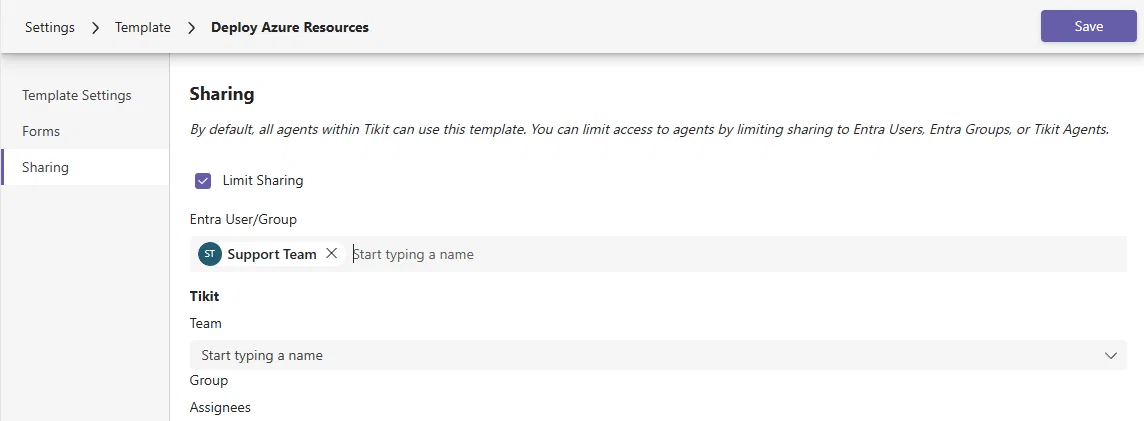
Instead of making every Template available to every agent, you can determine which agents should be able to access and apply a particular Template to a ticket.
This can make the agent experience more focused, particularly for organizations with different teams, departments, or specialized processes operating within Tikit.
Deliver More Relevant Service Catalog Experiences
Not every service should necessarily be presented to every employee.
Sharing now extends to Service Catalog Items, allowing organizations to control who can be served particular Catalog Items.
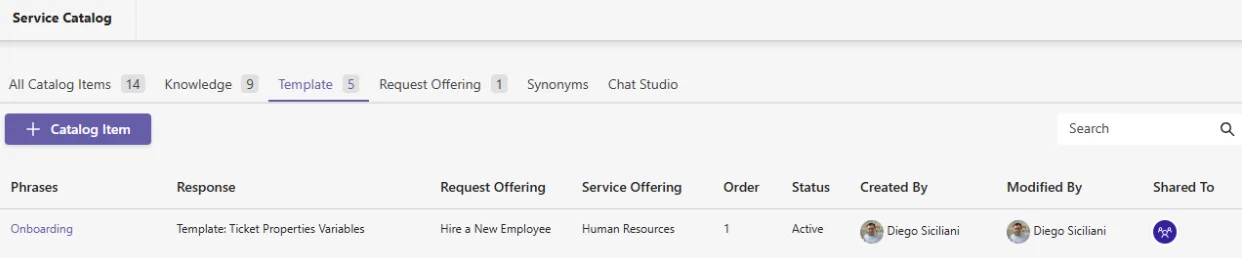
Consider a few examples:
- Make an employee onboarding request available specifically to managers and directors.
- Make a marketing request only available to certain members of the sales team.
- Support deploying Azures Resources only available to certain members of the IT team.
- Present department-specific services without exposing every Catalog Item to everyone.
These sharing settings affect visibility through the Requester Portal as well as eligibility for potential responses returned through Tikit Virtual Agent.
That makes it easier to provide a more relevant self-service experience based on who is asking for help.
Personalize the Tikit Virtual Agent Help Card
Sharing also comes to the Tikit Virtual Agent Help Card.
You can control which Help Card buttons different audiences see and which Templates those buttons use.
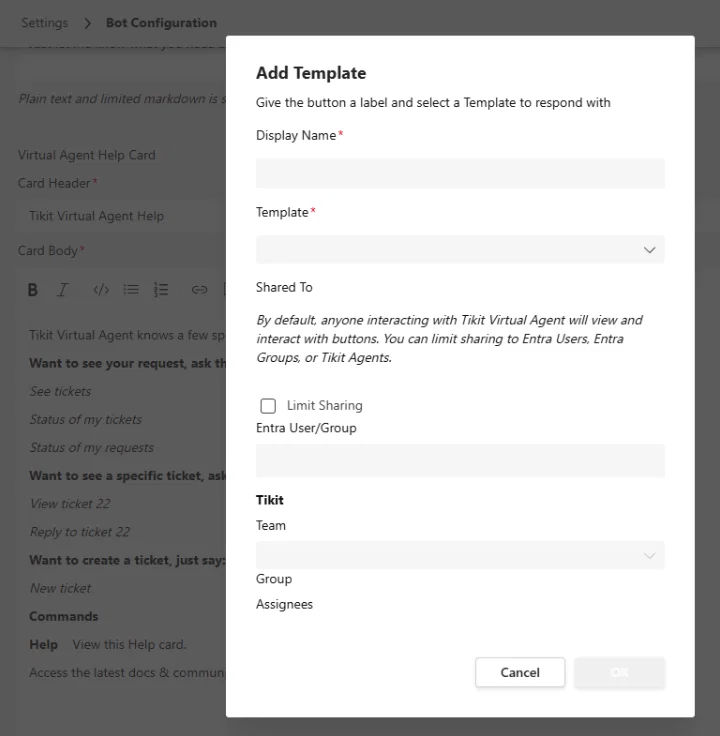
But the customization goes beyond buttons.
Individual sections of Help Card text can also be shared with specific Entra users and groups or Tikit teams, groups, and assignees.
That means an organization can create a Help Card containing different information, resources, and actions for different audiences while continuing to use a common Tikit Virtual Agent experience.
For example, employees in IT, HR, Marketing, or another department could be presented with information and actions that are more relevant to them.
Work Like an Administrator When You Need To, and an Agent When You Don’t
Administrators often manage Tikit while also working tickets themselves.
The new Admin View gives Administrators and Junior Administrators more control over which experience they see.
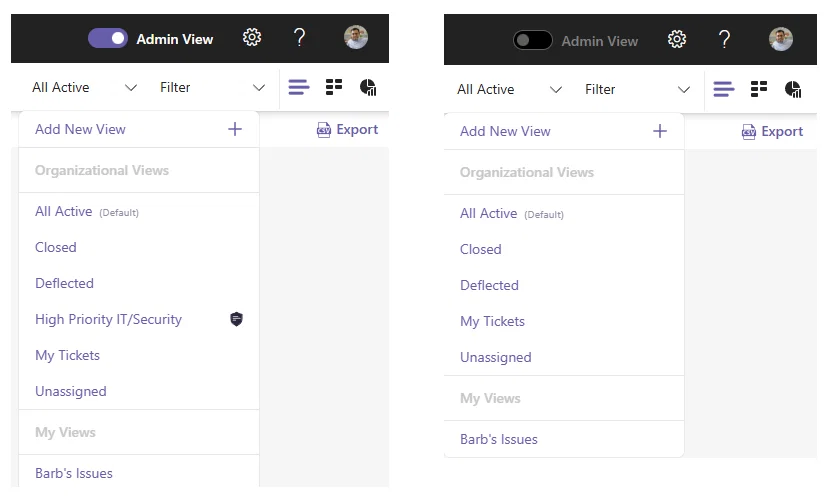
When Admin View is enabled, administrators can access the additional experiences associated with managing Tikit.
When it is disabled, they can work more like an agent without administrative Views and other scoped resources adding unnecessary clutter to the day-to-day experience.
This makes it easier for people who play both roles to move between administering Tikit and working within it.
Edit or Delete Your Own Ticket Comments
Another requested enhancement arriving with this release is the ability for agents to edit and delete their own ticket comments when those capabilities have been enabled within Tikit configuration.

Editing happens directly within the comment experience, making it easier to correct a mistake, clarify information, or update something that was just submitted.
Delete Multiple Tickets at Once
Bulk Delete is also included in the release.
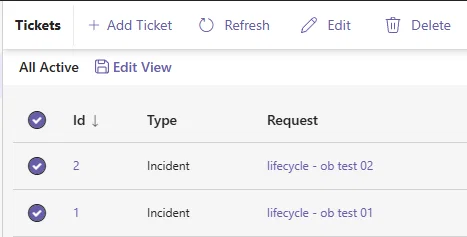
Rather than deleting tickets individually, users with the appropriate capability can select multiple tickets and delete them together.
It is a simple improvement, but one that can reduce repetitive administrative work when multiple tickets need to be removed.
Why Sharing Matters for Multi-Department Service Management
The significance of Sharing extends beyond any one feature.
As organizations expand service management beyond IT, different departments often need different Views, services, Templates, and self-service experiences.
HR may have requests intended for particular employee groups. Facilities may operate from a different set of ticket Views. Security may need specialized agent resources. Managers may need access to services that are not relevant to every employee.
Sharing helps organizations account for those differences while continuing to manage service delivery through Tikit.
Instead of every audience experiencing everything, organizations can make more of the Tikit experience relevant to the people, teams, and departments using it.
More Control. More Relevant Tikit Experiences.
Sharing gives Tikit administrators a new level of control over how different people experience the platform.
From Views and Templates to Service Catalog Items and Tikit Virtual Agent content, you can make more of Tikit relevant to the people who need it while reducing unnecessary content for those who don’t.
Combined with Admin View, comment editing and deletion, bulk ticket deletion, and the other improvements in this release, Sharing represents a significant step forward in making Tikit more adaptable to the way organizations actually work.
Ready to Explore Sharing?
Already using Tikit?
Sign in and start exploring the new Sharing capabilities in your environment.
Currently evaluating Tikit?
Use your 14-day trial to see how Sharing can support different users, teams, and departments.
New to Tikit?
Start a free 14-day trial or book a personalized demo to see how Tikit brings service desk and ITSM capabilities into the Microsoft ecosystem.
Ready to make your help desk easier for employees to use? See how Tikit brings ticketing, self-service, knowledge, and AI into Microsoft Teams. Book a demo, schedule a free setup session, or start a free 14-day trial.