Introducing External Users: Manage Service Requests Beyond Your Organization
Your service desk may run inside your Microsoft environment, but the people who need help don’t always belong to it. Contractors, partners, and other outside contacts may still need support, and your agents need enough information to understand who is requesting assistance and who is affected.
Tikit’s new External Users capability helps close that operational gap. IT teams can create and manage external user records directly in Tikit, without first creating those people in Microsoft Entra ID, and then use those records in tickets, forms, and service management workflows.
The result is more control over the requester information your team works with, whether a request comes from someone inside your organization or beyond it.
External Users in Tikit: the quick answer
External Users lets administrators create and edit user records in Tikit independently of Microsoft Entra, use them as Requesters or Affected Users on tickets, choose which user groups appear in form fields, and apply user details to automation and SLA conditions. Existing ticket submission channels, including email, continue to work as before.
A familiar service desk challenge: the requester is not in Entra
Imagine an outside contact emailing IT with a service request. The ticket itself is only part of the picture. An agent may also need to understand the person’s company, department, or role, and consistently associate that context with ongoing support work.
Previously, relying on the users available through the Microsoft Entra environment could limit how teams maintained this information in Tikit. External Users adds an option to maintain those records within the service desk application itself. It does not require a new external-facing intake channel or a corresponding Entra account for each person.
For teams that support more than a single internal employee directory, this makes requester information more manageable without changing how outside contacts already reach the help desk.
Create and maintain external user records directly in Tikit
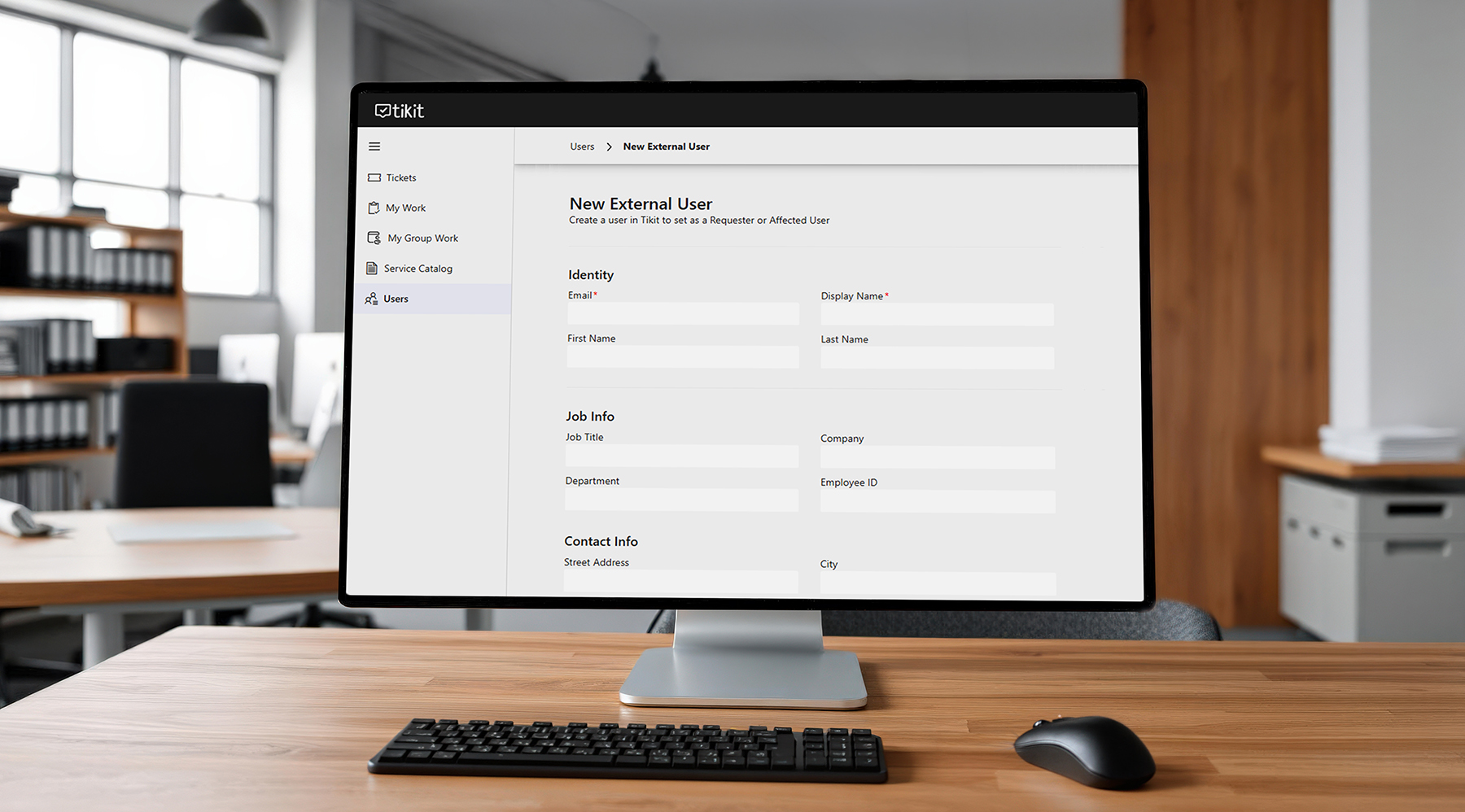
External Users is disabled by default. An administrator can enable user creation in Ticket Configuration. Once enabled, the Users area provides an Add User action for creating an external user record.
The user profile includes familiar identity and job-information fields, such as email, display name, first and last name, job title, company, department, and employee ID. Agents can edit the record as information changes, helping keep useful requester context close to the work being performed.
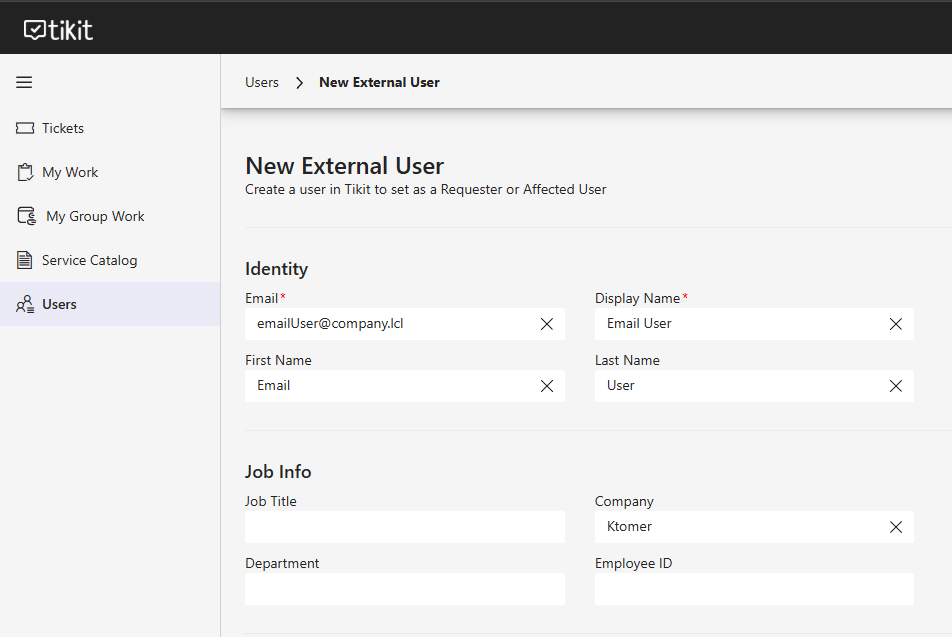
Create and manage external user details directly in Tikit
Connect the right person to the right ticket
A user record is most valuable when it becomes part of the ticket workflow. Tikit-managed external users can be selected as either the Requester or an Affected User when an agent creates or edits a ticket.
That distinction helps teams record who asked for help and who is impacted by the issue, rather than treating every request as an isolated message. The existing submission channels remain unchanged: external contacts can continue to submit requests through channels such as email.
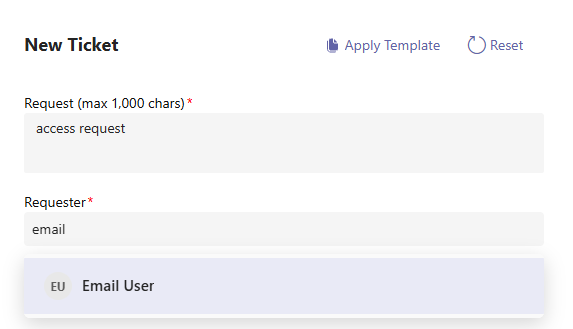
Select a Tikit-managed external user as a ticket requester
Make forms work for internal and external audiences
Different service requests call for different people selections. With External Users, the People Picker, Requester, and Affected Users fields can be configured to filter the users available in each field.
Administrators can choose Entra Members, Entra Guests, all Entra users, Tikit-managed users, or everyone across Entra and Tikit. This gives teams more deliberate control over the user population available in a particular form, instead of requiring the same selection pool for every situation.
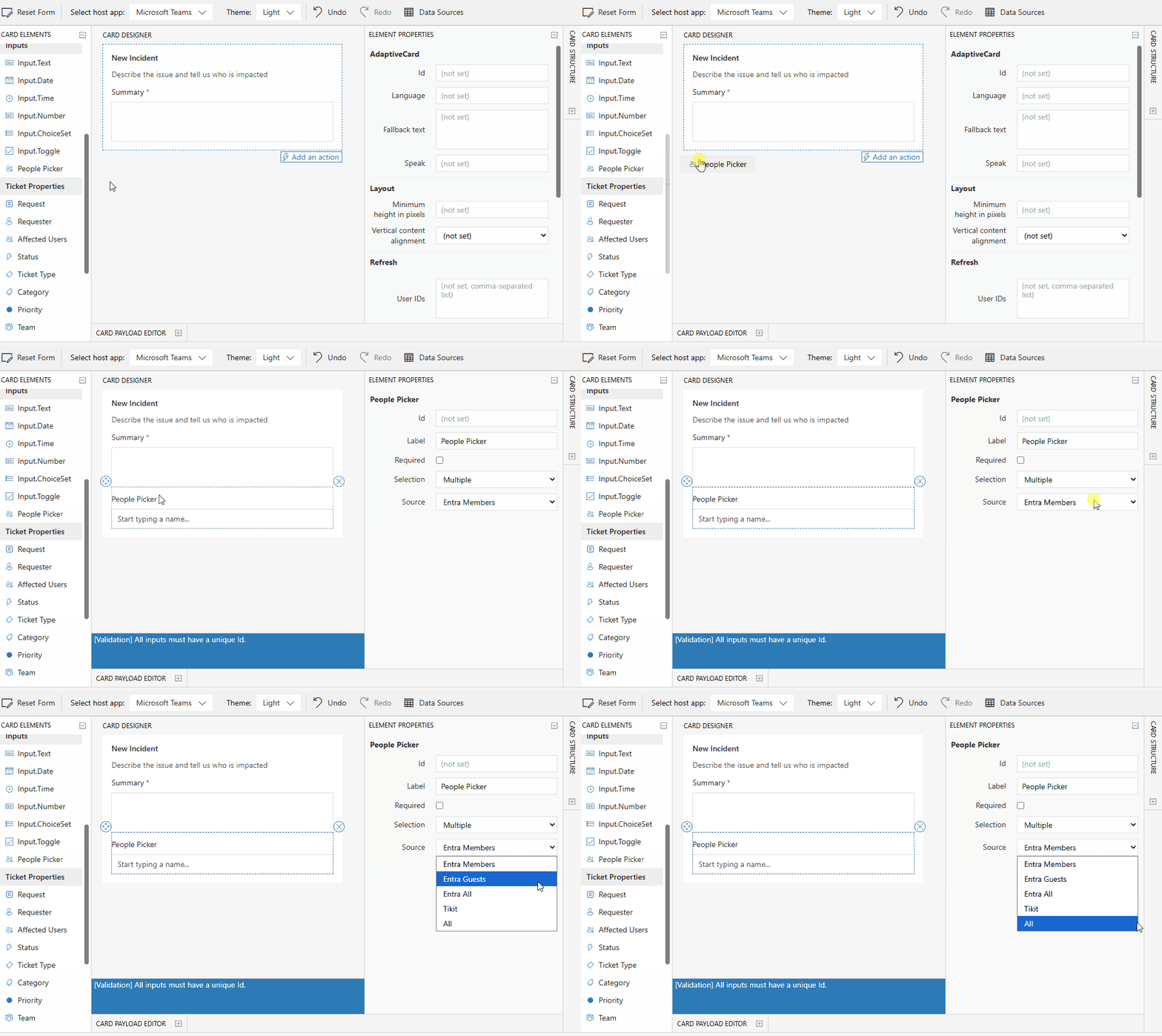
Configure which people are available in requester and affected-user fields
Use user attributes in automations and SLAs
The release also expands how people-related information can be used in automations and service-level agreements. Conditions can reference user attributes across Entra-managed and Tikit-managed users, including company and job title.
For example, a service team could configure rules for requests involving a particular company or role, or distinguish between internal and external populations. That creates opportunities for more targeted workflows and service expectations, while leaving the precise rule design to each organization.
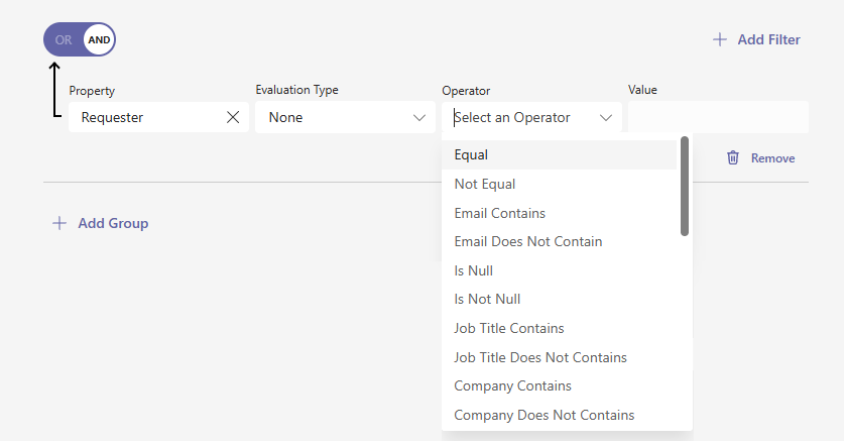
Apply requester attributes, including company and job title, to workflow conditions
Understand external-user activity through reporting
External user information can also support reporting through Power BI. For managers, the value is the ability to examine service activity involving those contacts alongside the work their teams already track.
The specific reports and visualizations will depend on the organization’s reporting configuration. We recommend showing an approved Power BI example before publication rather than implying a predefined dashboard is included.
How to get started with External Users
- Open Ticket Configuration and enable user creation (off for existing customers).
- Go to Users and select Add User to create an external profile.
- Add the user to a ticket as the Requester or Affected User.
- Review person-field filters in relevant forms, then evaluate user-attribute conditions in automations and SLAs.
External Users is available to ITSM customers, including the 14-day free trial. If you already use Tikit, start with a common request involving someone outside your Entra environment and test how the new user record fits your team’s process.
Support the people behind every service request
Service requests do not always follow your organization chart. With External Users, Tikit gives IT teams a more flexible way to maintain external requester details and apply them to the ticketing workflows they already use, without requiring every outside contact to be added to Entra.
Want to see how External Users fits into your service desk? Book a Personalized Demo of Tikit. Prefer to explore hands-on? Start a 14-day free trial.
Frequently asked questions
Do external users need Microsoft Entra accounts?
No. External user records can be created and managed directly in Tikit without corresponding Microsoft Entra accounts.
Can external users submit requests by email?
Yes. External contacts can already submit tickets using existing channels, including email. This release improves the management of their user records and related workflows; it does not introduce a new submission channel.
Can an external user be assigned to an existing ticket?
Tikit-managed external users can be selected as a Requester or Affected User when creating or editing tickets.
Is External Users included in the Tikit trial?
Yes. External Users is available to customers in ITSM plans and in the 14-day free trial. User creation is disabled by default and must be enabled in Ticket Configuration.