
When issues impact more than one person or department, waiting for updates in a ticket thread can feel… slow. Wouldn’t it be easier to hash things out in real time — right where you already collaborate in Teams?
With our latest release, Tikit introduces Group Chat — the first step in reimagining how tickets are handled inside Microsoft Teams. Alongside this, we’re giving your Virtual Agent a whole new voice and personality through the new System Prompt capability.
Together, these features make IT support feel more connected, conversational, and on-brand than ever.
The Right Conversation in the Right Place
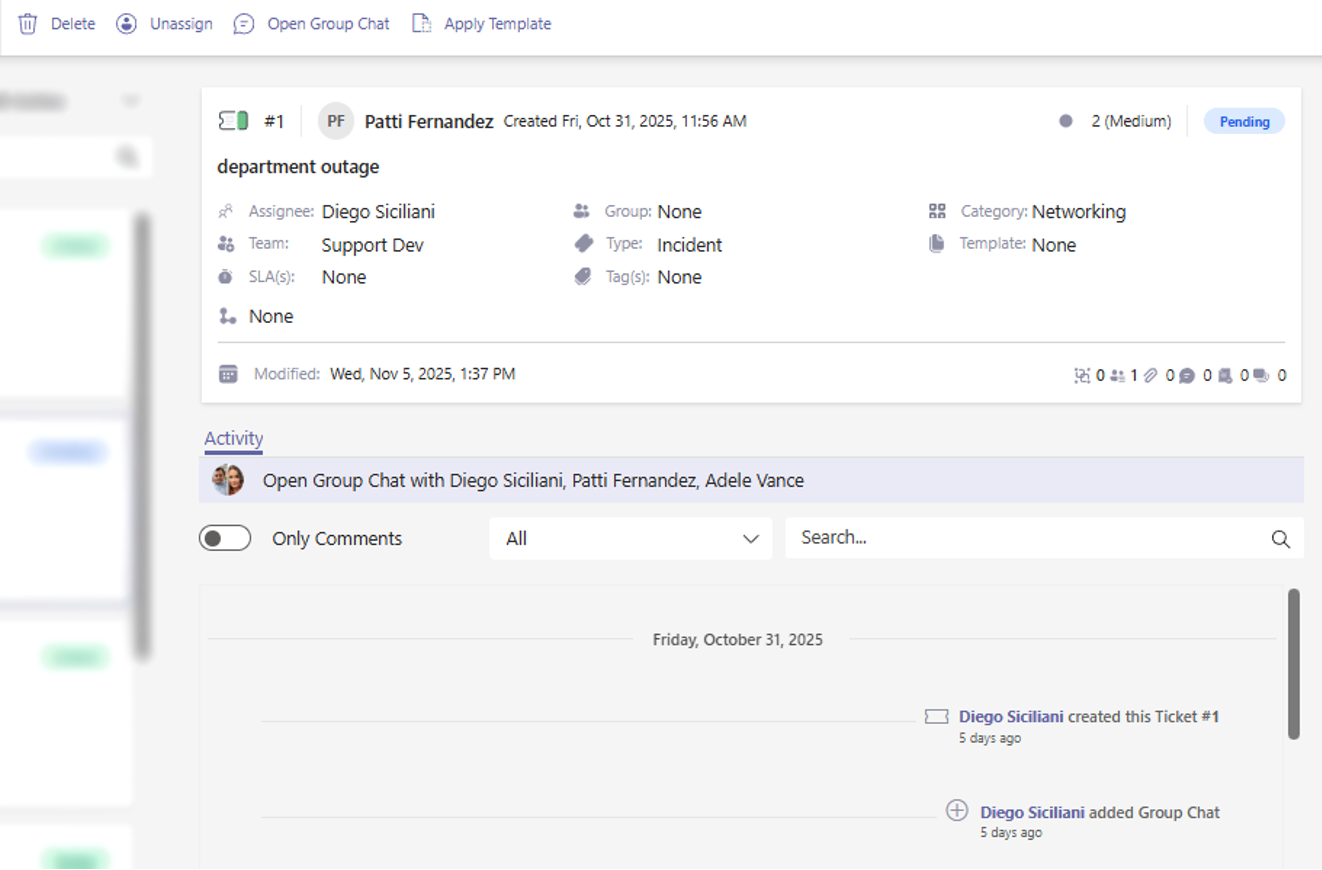
Every ticket has two sides:
- The activity log — for record-keeping, structure, and accountability.
- The conversation(s) — for real-time problem-solving.
Group Chat bridges both. It keeps your activity log clean while giving your team a dedicated chat space to collaborate freely — without cluttering the official ticket record or triggering extra bot notifications.
Stop adding noise to your ticket log with side discussions. Keep the record clean, while your team chats freely.
Your Ticket Just Got Its Own War Room
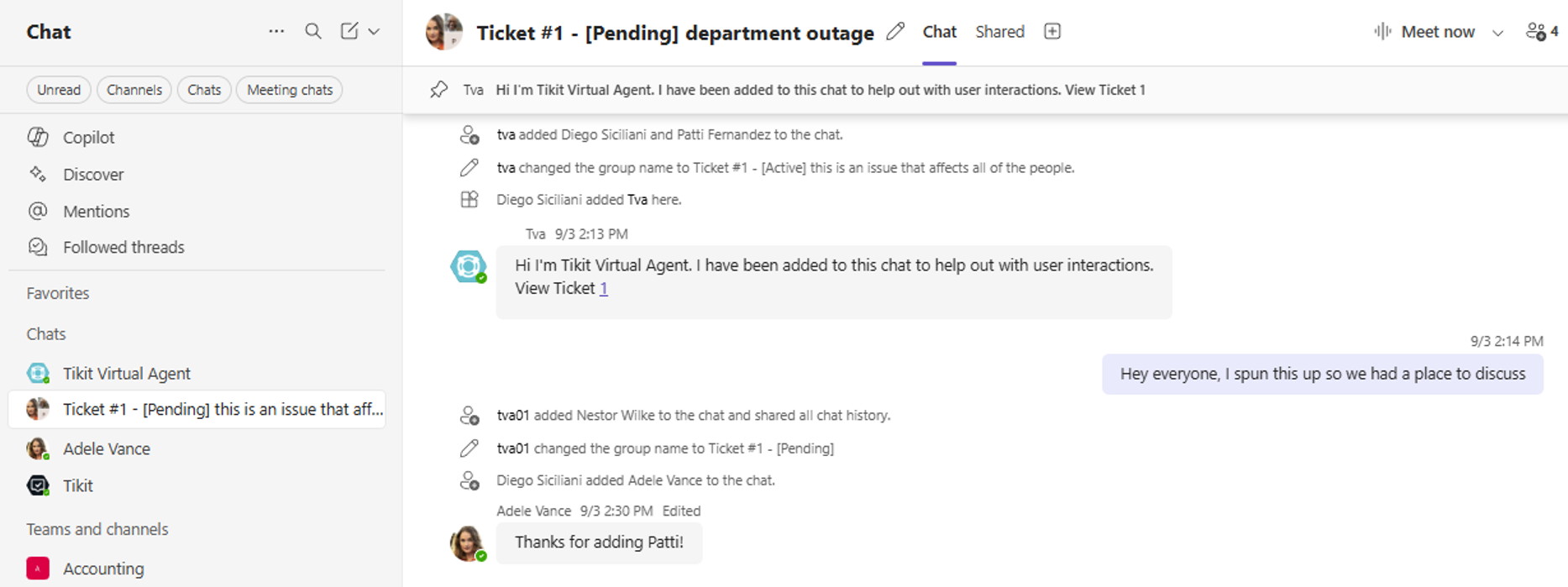
Think of Group Chat as your ticket’s private war room — spun up automatically by Tikit Virtual Agent the moment an agent starts it.
When a Group Chat is created, Tikit Virtual Agent will:
- Create a Teams Group Chat with the Requester, Affected Users, Assignee, and Collaborators
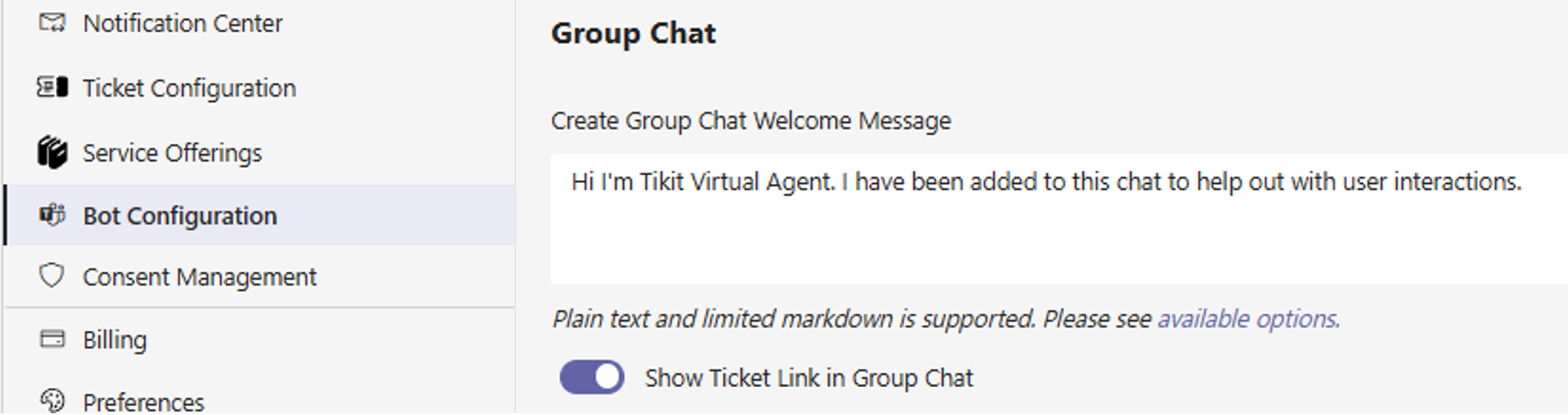
- Introduce itself and pin a message with a link back to the ticket
- Use a customizable introduction message (set in Bot Configuration) so your tone matches your team’s personality
Always Connected, Always Referenceable
Every Group Chat created in Tikit is permanently linked to its ticket — meaning your conversations never drift away from their context.
Open the ticket in the Agent Portal and jump straight into the Group Chat with one click. Or, from the chat itself, return instantly to the ticket using the pinned link from Tikit Virtual Agent.
This connection makes it easy to:
- Keep all side conversations organized in one place
- Quickly revisit discussions or decisions anytime
- Ensure everyone working the issue can access the same history, without hunting through Teams or email threads
Every chat stays forever tied to its ticket — clear, connected, and always referenceable.
Collaboration Without Compromise
Chat brings speed, but structure still matters — and Tikit handles both.
Add someone directly to a Group Chat in Teams, and Tikit automatically updates the ticket for you:
- Added members instantly appear as Affected Users on the ticket
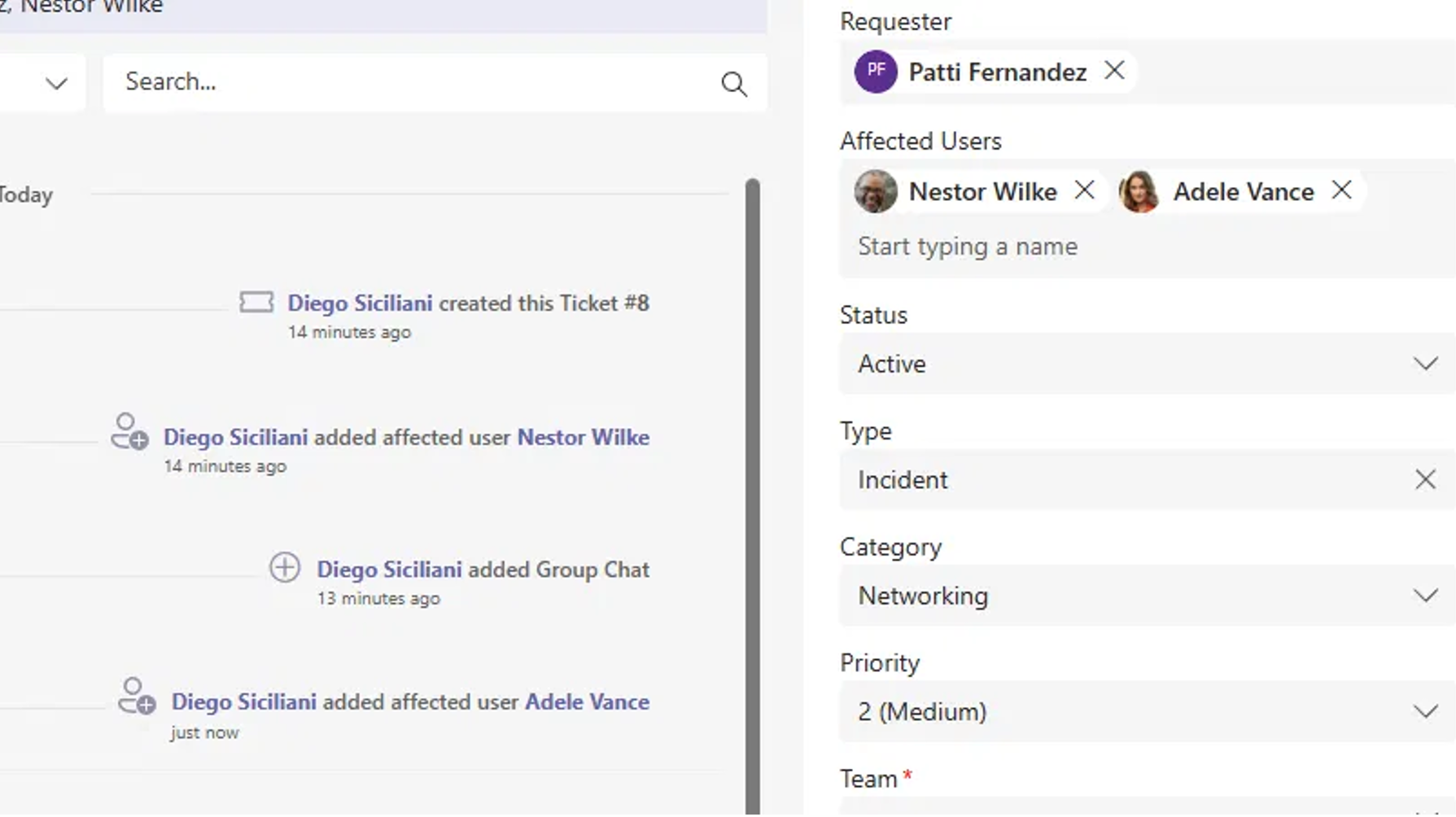
- Removing them in Teams removes them from the ticket
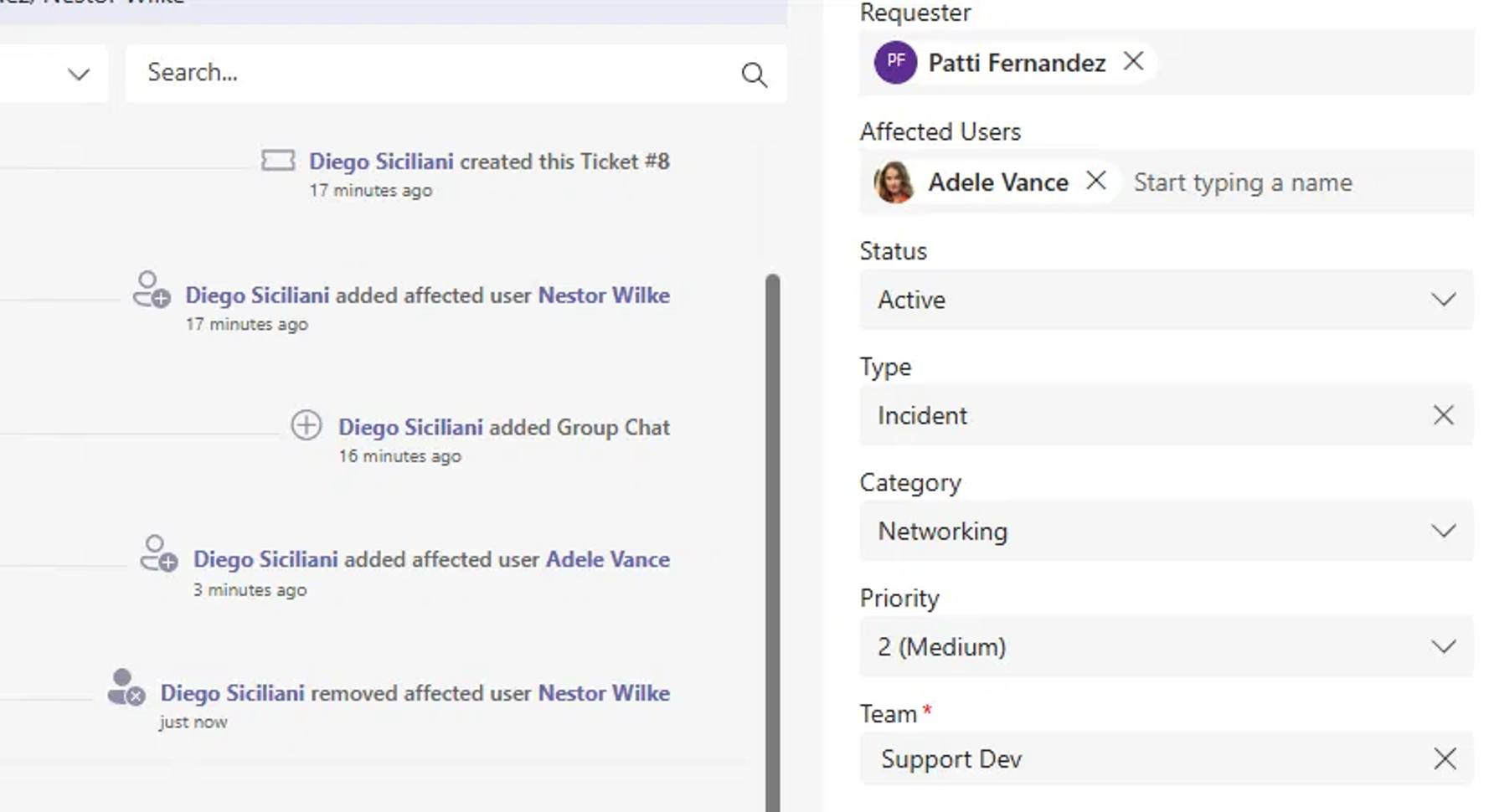
Even better, important roles stay protected:
- If the Requester is accidentally removed, Tikit Virtual Agent automatically adds them back — keeping your ticket data consistent.

- Only agents can manage chat membership, ensuring control stays where it belongs.

Need to update a ticket’s name or status? Those changes appear instantly in Teams — so your chat stays in sync with what’s happening on the ticket.
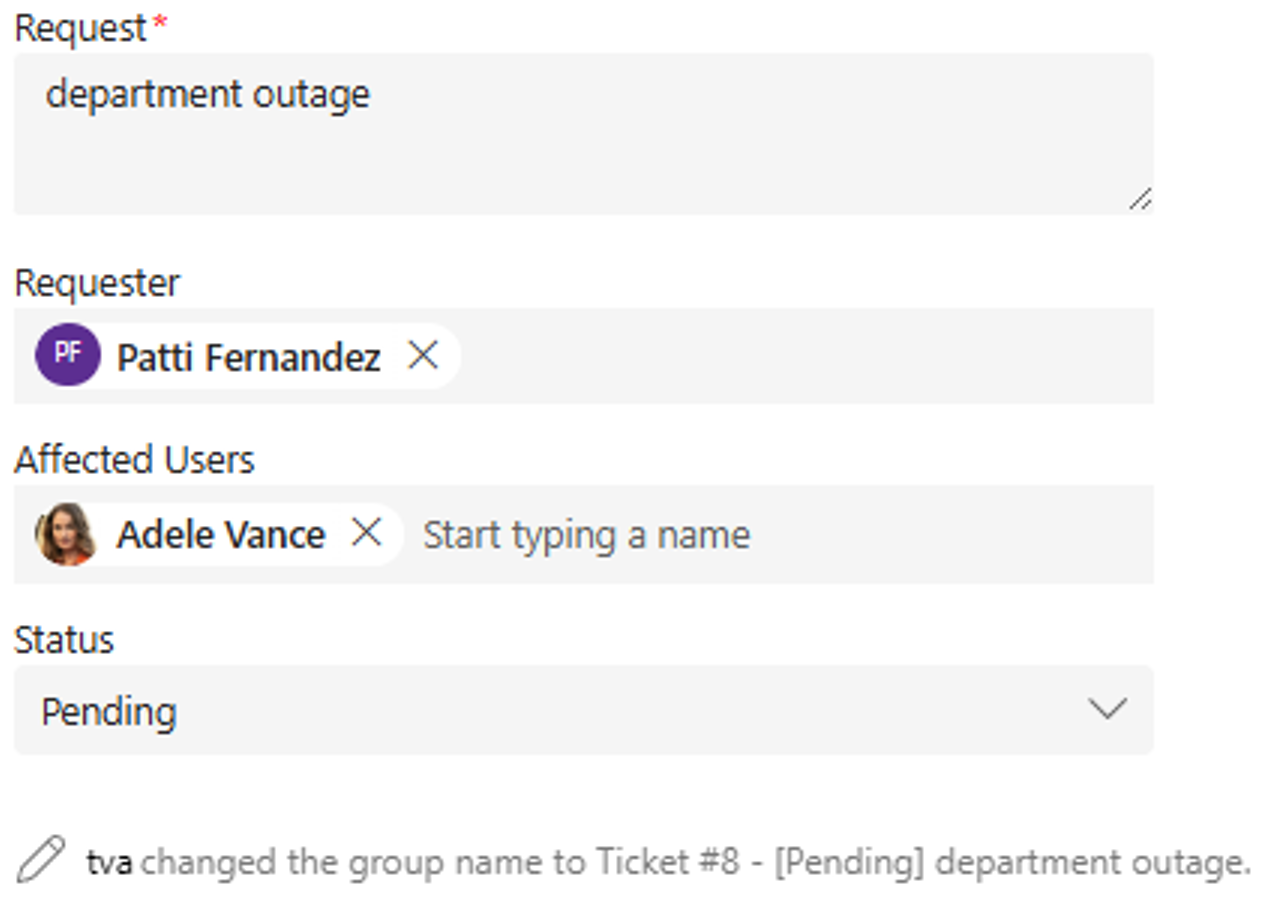
Talk it out in Teams, keep the record in Tikit. The best of both worlds.
A Step Toward the Future of Ticketing
This is only phase one of Tikit’s journey to transforming Group Chat into a full support channel. In the future, you’ll be able to manage tickets entirely from chat — changing status, assigning, and updating details without ever leaving Teams.
For now, Group Chat keeps collaboration natural while Tikit keeps your record structured.
You already split communication today — tickets in one place, conversations in another. Now, all of your conversations can stay in one place, and tied to the ticket.
FAQs: Understanding Group Chat
Q: Why isn’t there message sync between Group Chat and the ticket’s activity log?
A: For now, they serve different purposes. The chat is for conversation; the activity log is for record-keeping. This design keeps both clear and usable. Agents can still choose to add one-off messages back to the ticket using the Team’s message extension of “Add to a Ticket in Tikit.”
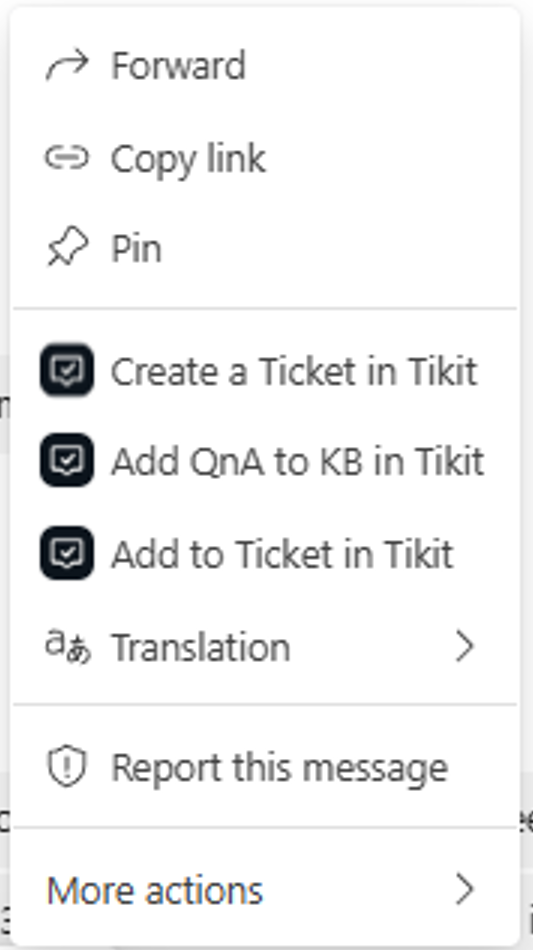
However, message sync is a feature that will arrive in a future release.
Q: Who can create a Group Chat?
A: To ensure appropriate use and structure, for now, only agents can start Group Chats from the Agent Portal.
Q: Will Group Chat replace the ticket comments section?
A: Not necessarily — but it’s a major step toward that future. Eventually, Group Chat messages will sync with Activity Comments and vice versa, thereby enabling Agents to comment from the Agent Portal, Email, or Group Chat and everything to stay in sync.
System Prompt: Give Your Virtual Agent a Voice

While Group Chat transforms how you collaborate, System Prompt transforms how your Virtual Agent speaks when you’ve integrated with OpenAI on Azure.
Now, you can define your Tikit Virtual Agent chatbot’s tone, style, and personality — not just its name and colors. Whether you want responses to sound friendly, professional, or a bit playful, System Prompt gives you the controls to make your Virtual Agent feel like part of your brand.
Example directions you can provide in System Prompt:
- “Answers should be truthful but said in a light-hearted tone.”
- “Provide assistance in a friendly and approachable manner.”
It’s not just branding — it’s building trust and personality into every generative interaction.
And That’s Not All…
This release also includes:
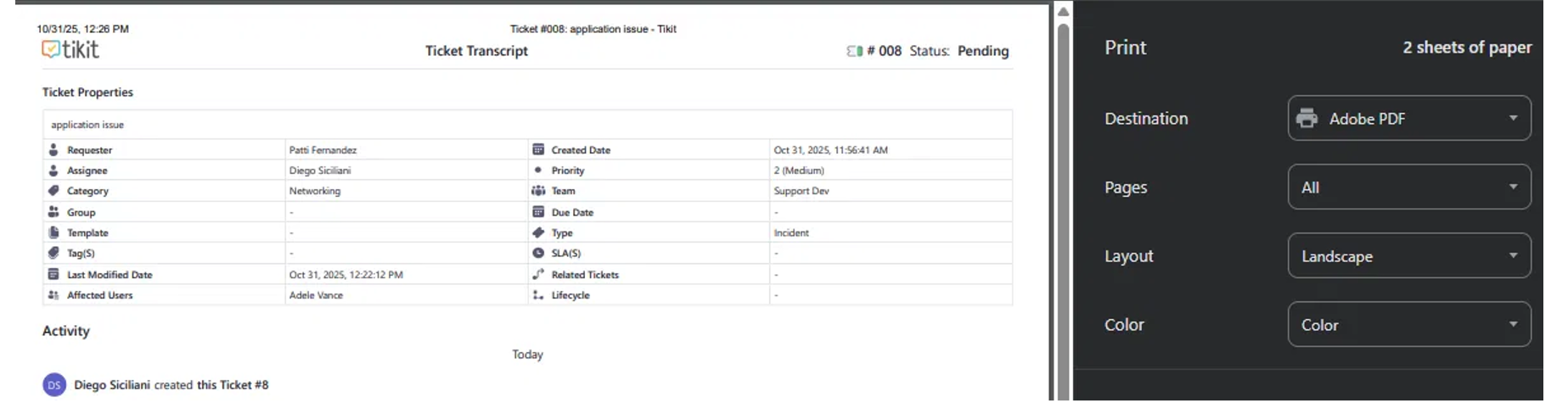
- A new print layout — redesigned for complete ticket visibility, perfect for audits or meetings.
- Tikit Virtual Agent on mobile now defaults to a chat-first experience, so employees engage naturally.
- Email connector completely rebuilt from the ground up for better resiliency during high email volume bursts.
Wrapping Up
From more natural collaboration to brand-aligned AI, this release represents a major leap toward a fully Teams-native service desk experience.
This evolution in Tikit allows you to keep the record clean, and the conversation flowing.
Every ticket deserves its own conversation space — and now, with Group Chat, it finally has one.